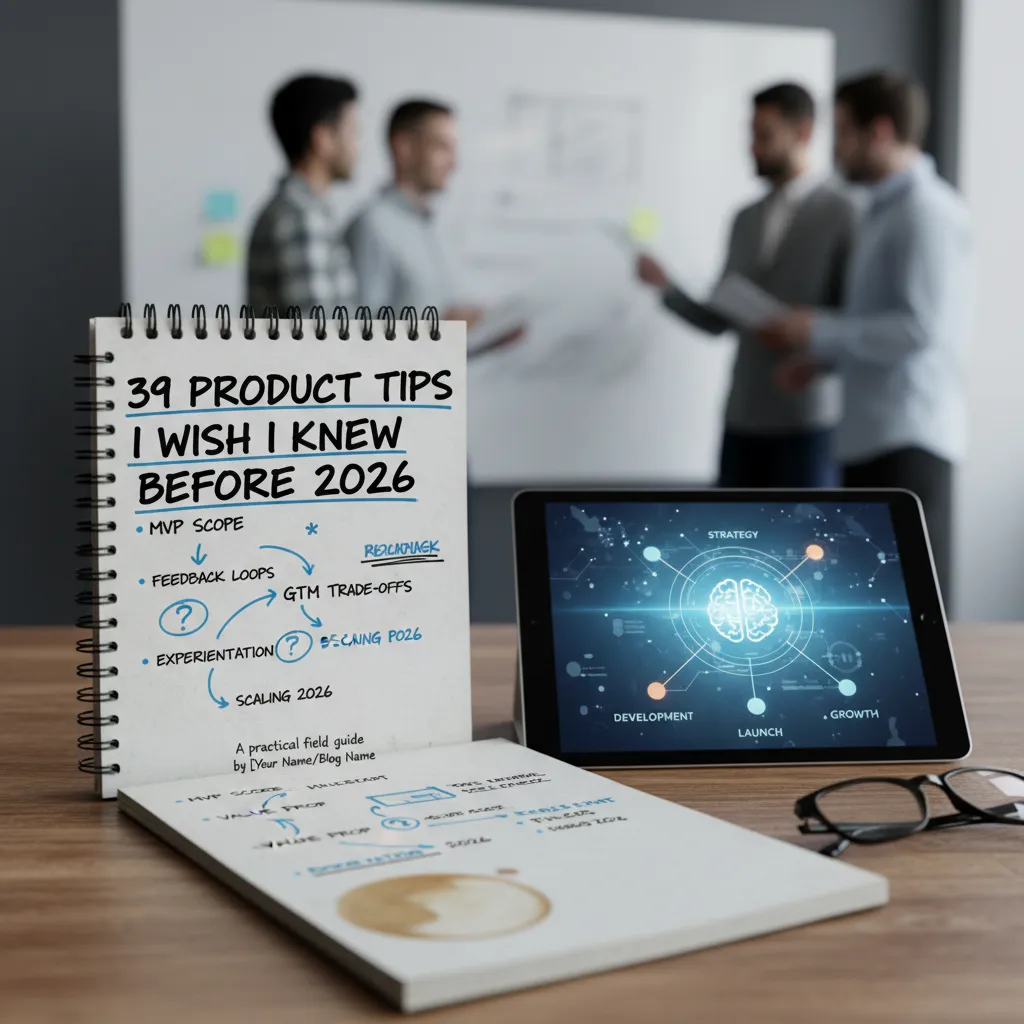
I still remember the first time I shipped what I proudly called an “MVP.” It took four months, had seven onboarding steps, and a settings screen nobody asked for. A mentor glanced at it and said, politely, “This is a V1… and you’re going to learn something expensive from it.”
That moment is why I keep a running list of product tips—stuff I wish someone had taped to my monitor before roadmap debates, stakeholder swirl, and that one launch where I forgot to define success. Here are 39 product tips every professional should know, grouped into a few themes I actually use when I’m under pressure.
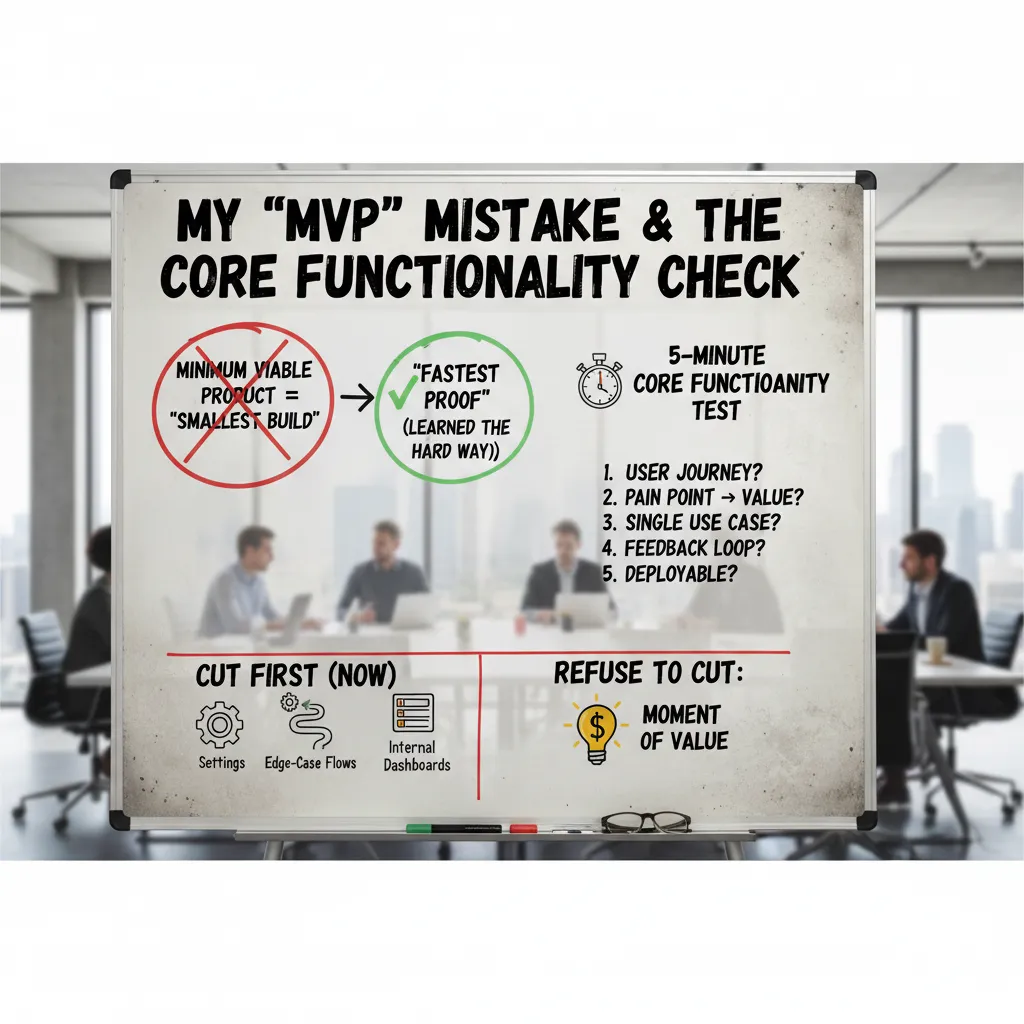
1) My “MVP” Mistake & the Core Functionality Check
For years, I treated an MVP (Minimum Viable Product) like it meant “build the smallest thing possible.” That mindset pushed me to shrink features, not to speed up learning. The nuance I wish I knew earlier (and one of the most useful product tips I’ve collected) is this: MVP is not the smallest build, it’s the fastest proof. The goal is to validate the riskiest assumption quickly—before I spend weeks polishing the wrong idea.
The week I shipped a “perfect” prototype and learned nothing
I once spent a full week shipping a prototype that looked amazing. Clean UI, smooth transitions, thoughtful empty states—the works. Stakeholders loved it. Users, however, couldn’t actually complete the core job because the “real” workflow was still mocked. I got compliments, not evidence. That was my MVP mistake: I optimized for presentation instead of proof.
My 5-minute Core Functionality Check (before I approve scope)
Now, before I say yes to any scope, I run a quick test. If I can’t answer these in five minutes, the MVP is not ready.
- Moment of value: What is the single moment where the user says, “Yes, this works for me”?
- Critical path: What are the few steps required to reach that moment?
- Riskiest assumption: What must be true for this to succeed (behavior, willingness to pay, trust, data quality)?
- Proof signal: What will I measure or observe to confirm it (not opinions)?
- Fastest test: What is the simplest build that produces that signal?
What I cut first (and what I refuse to cut)
To ship faster, I cut the things that feel “complete” but don’t create proof:
- Settings and preferences
- Edge-case flows (rare errors, unusual roles)
- Internal dashboards and admin polish
What I refuse to cut is the moment of value. If the user can’t reach it end-to-end, it’s not viable—just a demo.
Incremental releases without losing quality
- Release in slices: one user goal per release, not one feature area.
- Define “done” with a tiny quality bar:
works, understandable, recoverable. - Instrument the critical path (events, drop-offs, time-to-value).
- Talk to 5 users per cycle and compare behavior to your assumption.
- Keep a “later” list so cuts feel safe, not forgotten.
2) The Clear Value Proposition (and the Meeting I Bombed)
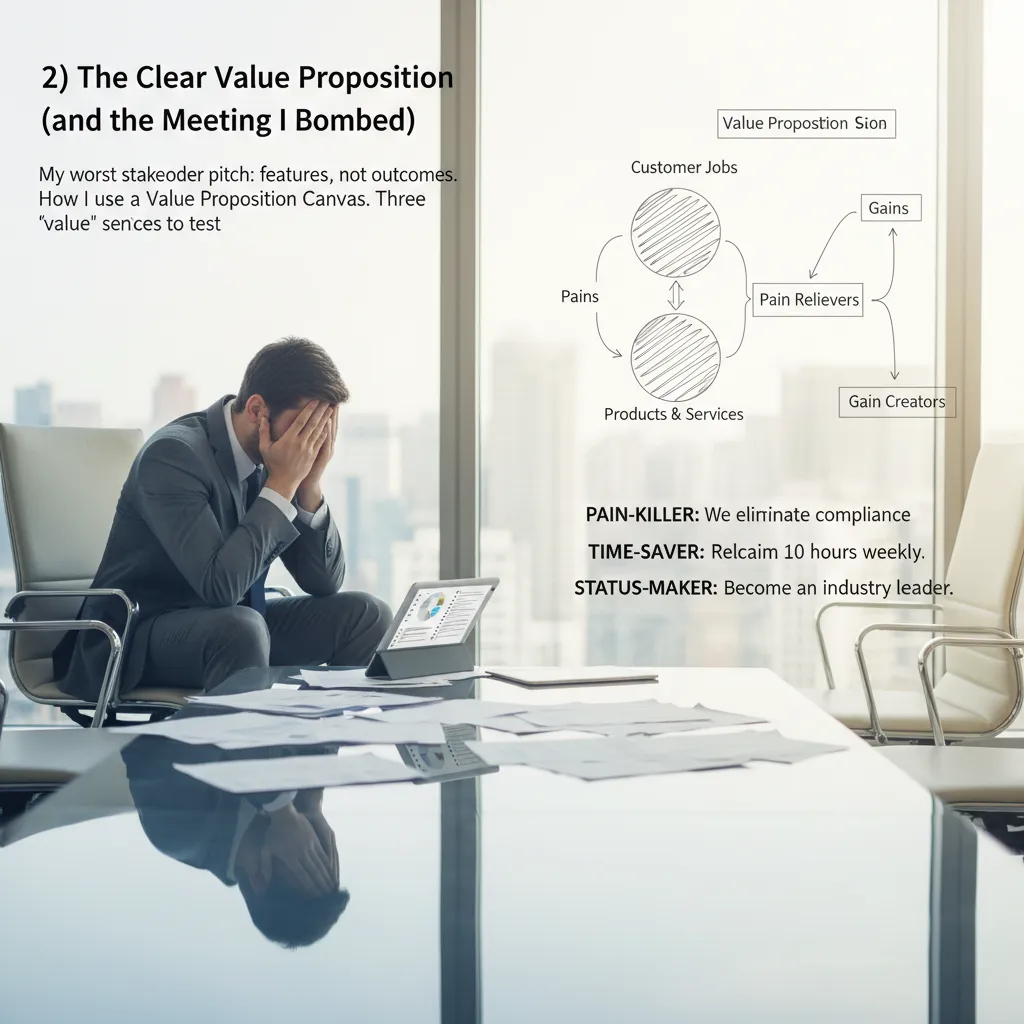
I still remember my worst stakeholder pitch. I walked in confident, clicked to slide one, and started listing features: “real-time dashboards,” “smart filters,” “new export options.” I thought I was being clear. Instead, I watched the room glaze over. Nobody argued. Nobody asked questions. That silence was the feedback: I described what we built, not why it mattered.
That day taught me one of the most practical product tips I wish I knew earlier: a clear value proposition is not a slogan. It’s a simple promise of outcomes that a specific customer can repeat back to you.
How I use a Value Proposition Canvas (without making a poster)
I still use a Value Proposition Canvas, but I keep it lightweight. I don’t “fill it out” to look busy. I use it to force one decision: which job, pain, and gain are we betting on right now?
- Job: What are they trying to get done in plain words?
- Pain: What makes it slow, risky, or annoying today?
- Gain: What does “better” look like to them?
Then I write one sentence that connects the three. If it can’t fit in one breath, it’s not clear yet.
Three “value” sentences to test in one afternoon
When I’m unsure, I test three versions of value messaging with customers (or even internal users) in quick calls or emails:
- Pain-killer: “We help you stop [pain] so you can [outcome].”
- Time-saver: “We cut [task] from [time] to [time] so you can [outcome].”
- Status-maker: “We help you look like [identity] by [result].”
Features tell. Outcomes sell.
A tiny habit that keeps it honest
After every 5 customer conversations, I rewrite the clear value proposition. Not the whole strategy—just the sentence. It keeps my product positioning tied to real language, not my own assumptions.
Quick gut-check
Here’s my fastest test: take your value proposition and swap in a competitor’s name. If it still sounds true, it’s not yours. Your copy should make it obvious who it’s for, what changes, and why you’re different.
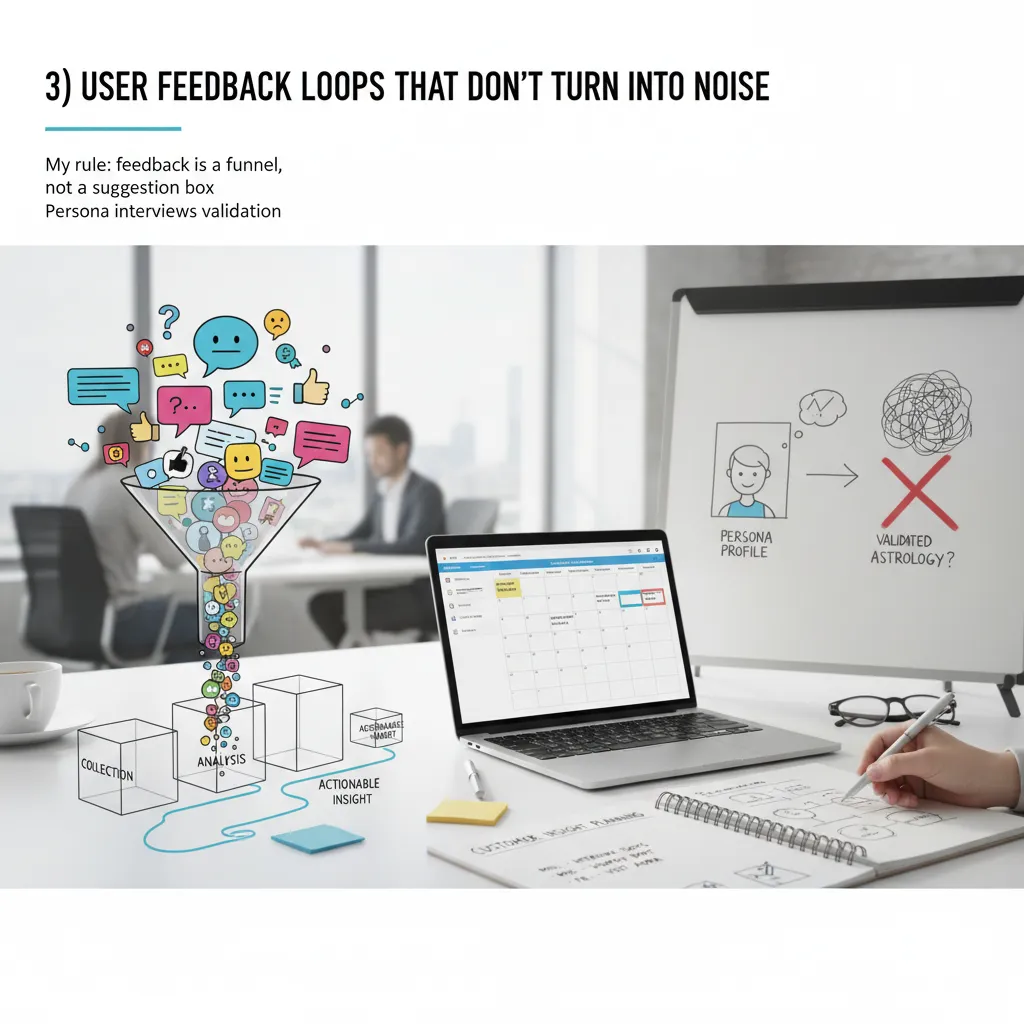
3) User Feedback Loops That Don’t Turn Into Noise
My rule: feedback is a funnel, not a suggestion box (and yes, I still break this rule sometimes)
I used to treat feedback like a public inbox: collect everything, promise nothing, feel guilty anyway. Now I try to run it like a funnel. The goal is not “more feedback.” The goal is clear decisions. I still break this rule when a loud request hits my emotions, but the funnel keeps me honest.
- Capture: log every signal (support tickets, reviews, sales calls).
- Cluster: group by job-to-be-done, not by feature idea.
- Score: frequency, severity, and revenue/retention impact.
- Decide: pick one change to test, not ten to debate.
“If feedback doesn’t change a decision, it’s just noise with a timestamp.”
Customer Insight Planning: how I schedule interviews, surveys, and ‘customer insight visits’ without burning out
I plan customer insight like I plan sprints: small, repeatable, and protected on the calendar. My baseline is two interviews per week for depth, plus a light survey once per month for breadth. I also do one “customer insight visit” per quarter: I sit with a real user (or watch a screen share) and only ask, “Show me how you do it today.”
To avoid burnout, I batch work:
- One day to recruit and schedule.
- One block to run sessions.
- One block to synthesize into 3 bullets and 1 decision.
Persona interviews validation: when personas help—and when they become office astrology
Personas help when they are behavior-based and tied to real interviews. They become office astrology when we use them to win arguments (“SaaS Sam would love this!”) without proof. I validate personas by checking: do we see this pattern in the last 10 conversations? If not, it’s a story, not a tool.
User Experience Testing on a budget: scrappy scripts, five users, one decision
My cheapest UX testing stack is a script, a call, and a spreadsheet. I recruit five users, run the same tasks, and force one decision at the end. My script is simple:
Task → “Think out loud” → “What did you expect?” → “What would you do next?”
I track only: time-to-complete, drop-off point, and exact words users say.
Wild card: improve retention in 14 days with no new features
- Fix onboarding copy and empty states (clarity beats novelty).
- Trigger lifecycle emails for “first value” within 24 hours.
- Reduce friction: remove steps, defaults, and confusing settings.
- Call churned users and tag reasons in a simple table.
| Signal | Action |
|---|---|
| Early drop-off | Simplify first-run flow |
| Confusion | Rewrite labels + add examples |
| No habit | Reminders tied to user goals |
4) Feature Prioritization Data: My Anti-Roadmap-Drama Toolkit
Feature Prioritization: the moment I stopped arguing and started scoring (still with empathy)
Early on, my roadmap meetings were loud. Sales had urgency, support had pain, and I had opinions. The turning point was when I stopped debating feature requests as stories and started scoring them as trade-offs. I still listen with empathy, but I don’t let the loudest voice win. I ask: What problem is this solving, for whom, and what do we give up?
Performance Metrics Tracking: the three numbers I check before adding anything new
Before I approve new work, I check three product metrics. If these are trending the wrong way, new features are usually a distraction.
- Activation: are new users reaching the “aha” moment?
- Retention: do people come back after week 1 or month 1?
- Time-to-value: how long until a user gets a real outcome?
If activation is low, I prioritize onboarding. If retention is dropping, I prioritize reliability, core workflows, and removing friction. If time-to-value is long, I prioritize defaults, templates, and guided setup.
Data-Driven Decisions vs “data cosplay”
I love data-driven prioritization, but I’ve learned to avoid data cosplay: using a metric just because it exists. A metric is too noisy to drive prioritization when:
- It moves a lot week to week with no product change.
- It’s based on a tiny sample size (like 12 users).
- It’s easy to game (clicks, raw pageviews, “requests”).
In those cases, I treat the number as a clue, not a decision. I pair it with qualitative signals: support tickets, session replays, and short user interviews.
A lightweight prioritization model (RICE + my “regret” column)
My simple feature prioritization framework is RICE: reach, impact, confidence, effort. Then I add a “regret” column: how bad will we feel if we don’t do this in 90 days?
| Factor | What I mean | Score |
|---|---|---|
| Reach | How many users touched | 1–5 |
| Impact | Effect on activation/retention | 1–5 |
| Confidence | Evidence quality | 1–5 |
| Effort | Weeks or points | 1–5 |
| Regret | Cost of waiting | Low/Med/High |
Tangent: I shipped a “top requested” feature that lowered retention
Yes, really. We built a “top requested” customization feature. Requests were real, but the feature added setup steps and made the product feel complex. Activation dipped, and retention followed. The lesson:
“Requested” is not the same as “improves outcomes.”
Now I score requests against the core metrics before they touch the roadmap.
5) Go-to-Market Strategy Meets Cross-Functional Collaboration
I used to treat go-to-market like a “marketing thing” that happened after the product was done. That mindset created late nights, mixed messages, and a launch day full of panic. Now I treat GTM as a cross-functional plan that starts early and stays simple.
My “launch without panic” checklist
If I can’t explain the launch in one page, it’s not ready. My checklist is built around three anchors: one pager, one owner, and one metric that matters.
- One pager: who it’s for, the problem, the promise, pricing/packaging, key dates, and FAQs.
- One owner: a single DRI (directly responsible individual) who runs the timeline and decisions.
- One metric: the leading indicator we will watch daily (not 12 metrics that no one owns).
I keep the one pager in a shared doc and pin it in Slack. If someone asks a question, I point back to it.
Align Business Development with product (before promises happen)
The fastest way to break trust is when Business Development sells a future feature as if it exists today. What fixed this for me was shared KPIs and shared language. We agree on:
- What counts as a qualified lead (same definition for BD and product).
- What “available,” “in beta,” and “on the roadmap” mean.
- A short list of non-negotiables BD cannot promise.
When we share KPIs, we stop arguing about “who messed up” and start improving the funnel together.
Collaboration rituals that work (and one that doesn’t)
- Works: weekly 30-minute GTM standup: blockers, decisions needed, and next deliverables.
- Works: a single “launch readiness” checklist owned by the DRI.
- Doesn’t: the two-hour “status meeting” where everyone reports and nothing changes.
If a meeting doesn’t produce a decision, it’s not a launch meeting.
GTM strategy as an experiment
I run go-to-market strategy like product discovery: test channels, test messages, learn fast. I pick 1–2 channels (like partnerships or paid search), pair them with content marketing (one strong landing page + one case story), and add a tiny exclusivity offer: “First 20 teams get onboarding help.”
Competitive intelligence tools (so I don’t copy by accident)
I watch competitors to understand the market, not to mirror them. My lightweight stack:
- Release notes + pricing pages (monthly scan)
- G2/Capterra reviews for pain patterns
- Google Alerts for brand and category terms
site:competitor.com "pricing"searches to spot changes
6) Strategic Thinking Time, AI Tools Usage, and the State of Product 2026
Strategic Thinking Time: the calendar block I protect like a doctor’s appointment
If I could go back, I’d treat strategic thinking time like a real appointment. In 2026, the workday fills itself: Slack, standups, “quick” calls, and urgent bugs. If I don’t block time, it disappears. So I protect a recurring block for strategy the same way I’d protect a medical visit—because it’s preventative care for the product. This is where I connect customer pain, business goals, and what we can actually ship. Without it, I’m just reacting.
AI Tools Usage: where I trust AI, and where I don’t
I use AI tools in product management, but I’m picky. I trust AI for summaries, research, and first drafts of docs I will rewrite. I’ll paste long call notes and ask for themes, risks, and open questions. I’ll ask for competitor comparisons, then verify sources. I’ll even use it to generate interview questions or edge cases.
Where I don’t trust AI: strategy, ethics, and promises. AI can’t own tradeoffs, take accountability, or understand the real-world impact of a decision on users. It also can’t commit to a roadmap without creating false certainty. I keep humans in charge of what we build, why we build it, and what we tell customers.
AI Tools market noise: filtering “urgent” trends from useful shifts
The state of product in 2026 includes a lot of AI market noise. Every week there’s a “must-adopt” tool. My filter is simple: does it reduce cycle time or improve decision quality in a measurable way? If the answer is vague, I wait. I also ask: will this still matter in six months, and can my team support it? If not, it’s probably hype.
Learning loop from top product management books + events
I used to collect ideas from top product management books and events like trophies. Now I run a learning loop: I take notes, pick one exercise, apply it to a real problem, and do a short retrospective. Otherwise it’s just content grazing, and nothing changes.
Closing reflection
Thirty-nine product tips sound like a lot, but they collapse into a handful of repeatable habits: protect thinking time, use AI tools with clear boundaries, ignore noise, and turn learning into action. In 2026, that’s what keeps me steady while everything else moves fast.
TL;DR: Build a Minimum Viable Product that proves the core job, sharpen a clear value proposition, run ruthless user feedback loops, prioritize features with data, align business development and product strategy, and protect strategic thinking time—especially as the State of Product 2026 gets noisier with AI tools and faster GTM cycles.