

The first time I tried to “add AI” to an automation, I did it the way most of us do: I bolted a model onto a brittle workflow at 11 p.m., hit run, and watched it confidently route a VIP customer to the wrong queue. That tiny disaster taught me something I still repeat to teams: AI isn’t a feature you sprinkle on top—it’s a product you have to ship. In this guide, I’ll walk through the step-by-step approach I now use, including the boring bits (governance, data readiness) that are secretly the parts that make the fun bits work.
1) The “Why” Before the Workflow: Business Goals Definition
Before I touch tools, prompts, or workflows, I define the business goal. My rule of thumb is simple: if I can’t say the business goal in one sentence, the automation will drift. “Use AI to help the team” is not a goal. “Reduce invoice processing time from 3 days to 1 day without increasing errors” is a goal I can build around and measure.
Turn goals into ROI metrics you can track
In any AI implementation guide for automation that actually ships, this step is where you stop guessing and start tracking. I translate the goal into a few measurable metrics so I can prove ROI and catch problems early.
- Time saved: minutes per task, hours per week, or headcount capacity freed
- Error rate: wrong fields, wrong labels, rework percentage
- Cycle time: request-to-completion time, queue time, handoff delays
- $ impact: cost per transaction, chargebacks avoided, revenue captured
I like to write the goal and metrics in one place so everyone agrees on what “good” means:
| Goal (one sentence) | Metric | Baseline | Target |
|---|---|---|---|
| Cut support ticket triage time without misrouting | Avg triage minutes + misroute rate | 12 min, 8% | 5 min, <3% |
Decide: auto-act or recommend?
Then I run a quick risk check: “What would break if this is wrong?” If the answer is “a customer gets annoyed,” AI can often auto-act. If the answer is “we violate policy, lose money, or fail an audit,” AI should recommend and a human should approve.
When the cost of a mistake is high, I treat AI output as a suggestion, not a trigger.
A quick story about ownership
Once, I watched a “simple” email classifier turn into a compliance problem. It routed messages automatically, but no one defined who owned the labels, who reviewed edge cases, or who signed off on changes. A few misrouted emails later, we had a policy incident. Since then, I always assign an owner before the first model runs.

2) Governance Risk Management (a.k.a. the Part I Used to Skip)
I used to treat governance like paperwork that slowed down “real work.” Then I watched a promising AI automation get paused because nobody could answer three basic questions: Who approved it? Who is watching it? Who can shut it off? If you want AI implementation that actually ships, you need a lightweight AI governance model that keeps speed and control.
Set up a lightweight AI Governance Model
Keep it simple and visible. I like a one-page rule set and a short approval path.
- Who approves: a product owner + a risk/privacy reviewer for the use case.
- Who monitors: the team that owns the workflow (not a distant committee).
- Who can pull the plug: an on-call owner with clear authority and a documented rollback.
Make the “pull the plug” step real: define triggers like bad outputs, data leakage, or customer complaints, and add a manual override in the workflow.
Responsible AI Principles (plain language)
I don’t use fancy policy text. I use rules people can remember:
- Fairness: don’t let the model treat groups differently without a business reason you can defend.
- Privacy: only send the minimum data needed; avoid sensitive fields unless approved.
- Explainability: log what the AI did and why (inputs, prompt, version, output).
- Human override: a person can review, edit, or stop the action before impact.
Federated governance: central policy, local decisions
Central teams should set the guardrails (security, data handling, vendor rules). Local business teams should decide risk tradeoffs for their own processes, because they understand the real impact. This federated governance model prevents bottlenecks while keeping standards consistent.
Quick tangent: why shadow automations pop up
When governance is too slow, people don’t stop automating—they just do it quietly.
“Shadow automations” show up when approvals take weeks, templates are unclear, or nobody knows the process. The fix is speed: a clear intake form, a 48-hour triage, and a default-safe path for low-risk AI automation.
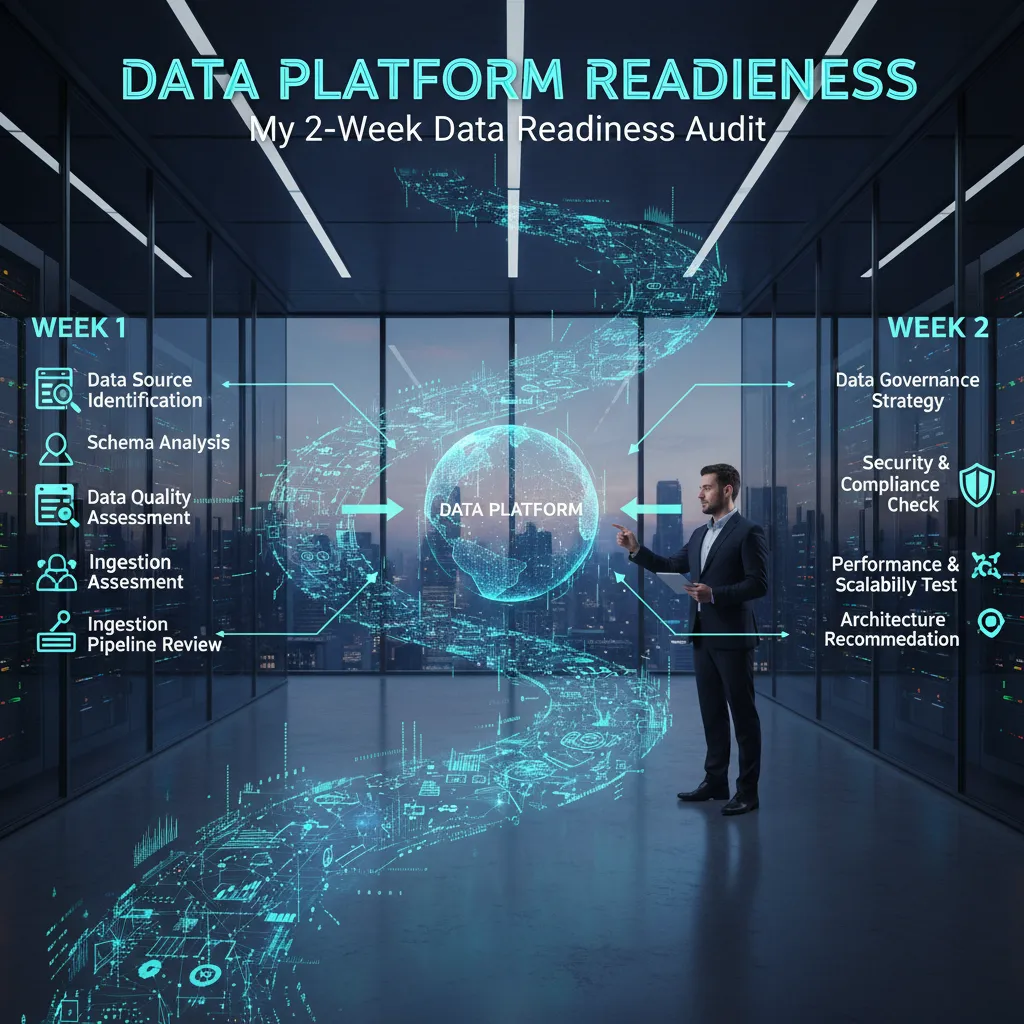
3) Data Platform Readiness: My 2-Week Data Readiness Audit
Before I automate anything with AI, I run a 2-week data readiness audit. This step comes straight from my “implement AI in automation” playbook: if the data platform is shaky, the model will look smart in a demo and fail in production.
Week 1: Run a Data Readiness Assessment (the boring part that saves you)
I start by mapping every data source that touches the workflow. Then I document five things: source, owner, access path, quality, and compliance. I keep it simple in a table so everyone can argue with facts.
| Data Source | Owner | Access | Quality Risks | Compliance |
|---|---|---|---|---|
| CRM | Sales Ops | API / export | Missing fields | PII |
| Support inbox | Support | IMAP / ticket tool | Duplicates | Retention rules |
For access, I write down the exact steps needed (VPN, approvals, tokens). I also confirm what we can store, for how long, and whether we can send data to third-party AI tools.
Week 2: Do a brutally honest inventory (structured vs unstructured)
Next, I split data into:
- Structured: tables, events, form fields, timestamps
- Unstructured: emails, PDFs, call notes, chat logs (great for NLP, but messy)
Unstructured data is where automation wins big, but only if you can extract text cleanly and remove sensitive info.
Pick one “golden dataset” and define Quality Data Preparation
I choose one dataset that best represents the automation goal (the “golden dataset”). Then I define prep steps before modeling:
- Remove duplicates and fix obvious errors
- Standardize fields (dates, categories, IDs)
- Label a small sample for evaluation
- Mask PII and document rules
- Create a repeatable pipeline (not a one-time spreadsheet)
Personal note: I once spent more time getting access to the data than training the model—plan for that reality.

4) High-ROI Use Cases: Picking Work That’s Worth Automating
When I follow a step-by-step AI automation plan, I don’t start by “automating the whole workflow.” That sounds exciting, but it’s where projects stall. Instead, I use high-ROI prioritization: I pick one decision-heavy step inside an existing process and ship that first. Decision points are where humans spend time thinking, checking, and routing—and where AI can help fast.
Start small: one decision-heavy step
A good first target is a step that is repetitive, high-volume, and has clear outcomes. I ask: Where do we pause to decide what happens next? That’s usually the best automation wedge.
- Ticket triage (NLP): classify incoming support tickets, detect urgency, and route to the right queue.
- Invoice exceptions: flag invoices that don’t match PO totals, missing fields, or unusual vendor patterns.
- Churn-risk alerts (Predictive Analytics): score accounts weekly and trigger a task for customer success.
Run a quick “Tool Sprawl Model” check
Before I buy another platform, I do a simple check: can we do this with what we already own? Many teams already have automation tools, a helpdesk, a CRM, and reporting. Often, the fastest path is adding one AI capability (like classification or scoring) into the current stack.
| Question | What I’m checking |
|---|---|
| Do we already have the data? | Tickets, invoices, CRM events, labels, outcomes |
| Do we already have the workflow? | Rules, queues, approvals, notifications |
| Do we need a new tool? | Only if current tools can’t integrate or scale |
The AI agent trap (a quick scenario)
I’ve seen teams jump straight to an “AI agent” that schedules, routes, and follows up. It works great—until it emails the wrong customer because it guessed the contact from a messy CRM record.
My rule: automate the decision, then keep a human checkpoint until errors are rare and measurable.
That’s how I keep AI implementation practical: small scope, clear value, and fewer surprises.
5) Model Development Deployment: Choosing the Brain (Without Overengineering)
When I build automation that actually ships, I treat model choice like picking the right tool, not proving I can use the biggest one. The goal is simple: reliable decisions in production, with costs and speed I can live with.
Use a Model Selection Playbook
I start with a small playbook so the team doesn’t debate in circles. In most automation projects, I choose between:
- Foundation model: best when tasks are broad (summaries, extraction, routing) and data is limited.
- Fine-tuned model: best when the task is narrow, labels exist, and consistency matters (e.g., claim approval categories).
- Rules + ML hybrid: best when there are clear policies plus messy inputs (e.g., “if invoice total > X, require review” + ML for vendor matching).
If I can solve 70% with rules and only use ML for the fuzzy 30%, I usually ship faster and debug easier.
Model Architecture Choice: When Small Beats Giant
Not every step needs a large language model. For classification, a lightweight model can be the better “brain”:
- Use a simple classifier when labels are stable and outputs are fixed (spam/not spam, priority tiers).
- Use a foundation model when inputs vary a lot and you need flexible reasoning (free-form emails, messy tickets).
I also keep a fallback path. Example:
if confidence < 0.75: send_to_human_review()
Build Evaluation Suites (Drift Checks Early)
I don’t wait for production to discover failure modes. I build an evaluation suite with:
- Test sets from real workflows
- Edge cases (short inputs, missing fields, sarcasm)
- “Weird Fridays” data: end-of-month spikes, holiday language, unusual vendors
Keep Accuracy vs Latency Visible
Production criteria get real when I put accuracy next to speed. I track both in a simple table:
| Option | Accuracy | Latency | Cost |
|---|---|---|---|
| Rules + small ML | Medium-High | Low | Low |
| Foundation model | High | Medium-High | Medium-High |
6) Production Integration: Treat Deployment Like a Product Launch
When I move an AI automation from a demo to production, I treat it like a product launch. The model is only one piece. The real work is making it reliable inside the systems people already use, and making sure it fails safely.
Production integration checklist (the stuff that saves you later)
- APIs: clear inputs/outputs, versioning, and stable contracts.
- Retries: handle timeouts and temporary errors without spamming downstream tools.
- Fallbacks: a safe default when the model is unsure or the service is down.
- Logging: request IDs, prompts, model version, latency, and outcomes.
- Human-in-the-loop lane: a review queue for edge cases and high-risk actions.
Model deployment APIs: connect to real workflows
In most automation projects, the model lives behind an API and gets called by workflow tools. I usually integrate with CRM/ERP systems (Salesforce, HubSpot, SAP) and tools like Zapier, Make, or internal job runners. Don’t forget the boring parts: auth and rate limits. If your token expires or you hit limits during peak hours, your “smart” automation becomes a silent failure.
Even a simple endpoint design helps:
POST /ai/classify_ticket

{ "ticket_id": "...", "text": "...", "customer_tier": "..." }
Gradual rollout: ship safely
I follow a staged release so I can catch issues before they hit everyone:
- Shadow mode: run the AI in parallel, log results, but don’t act on them.
- Limited users: enable for a small team or one region, with tight monitoring.
- Full release: expand only after stability and value are proven.
I also keep a rollback plan: feature flags, model version pinning, and a manual process that can take over in minutes.
My pet peeve: dashboards that show “model accuracy” but not business impact.
I track impact metrics like time saved per ticket, conversion lift, fewer escalations, and error cost. Accuracy is useful, but impact is what keeps AI automation funded.
7) Implementation Roadmap: My 30-60-90 Day Plan (and Why Pilots Stall)
Days 0–30: Assess, set rules, and choose one pilot
When I implement AI in automation, I start with a short assessment that maps the workflow end to end: where work enters, where decisions happen, and where errors or delays show up. In the same month, I put governance in place so the team knows what “safe and approved” means. That includes basic policies for data access, model use, human review, and logging.
Next is a data audit. I check what data exists, who owns it, how clean it is, and whether it can be used for the task. Then I pick one pilot only—one use case with clear value, low risk, and a simple path to production. If we can’t explain the pilot in one sentence, it’s too big.
Days 31–60: Build, test, and run a quick-win pilot with production criteria
In the second month, I build the pilot like it will ship, not like a demo. I define production criteria up front: success metrics, latency targets, cost limits, security checks, and what happens when the AI is unsure. I also set a clear “human-in-the-loop” rule so the automation never creates silent failures.
Then I test with real inputs, run a controlled rollout, and measure results against the baseline. This is where “AI implementation” becomes real automation: repeatable, monitored, and owned.
Days 61–90: Integrate, harden, and scale through delivery
In the third month, I focus on integration and durability. I connect the pilot to the systems people already use, add monitoring and alerts, and harden prompts, workflows, and permissions. If the pilot works, I scale through delivery: replicate the pattern to the next workflow, not by starting over.
I also formalize an AI CoE or lightweight AI Operating Model—who approves use cases, who maintains automations, and how changes ship.
Pilots stall for predictable reasons: there’s no integration budget, ownership is unclear (IT vs. ops vs. data), and teams hit tool sprawl fatigue after trying too many platforms. My 30-60-90 plan avoids that by treating the pilot as the first production release, not a science project.
TL;DR: Implement AI in automation by starting with governance + a 2-week data readiness audit, pick 1–2 high-ROI use cases, run a 30-60-90 day roadmap, deploy via APIs with monitoring, and treat production integration like a product launch—because pilots stall when accuracy/latency/security and funding for integration aren’t planned.


