

The first time I watched a chatbot summarize a breaking story, I felt two emotions at once: relief (it was fast) and dread (it was so confidently wrong about one key detail). That tiny mistake sent me down a rabbit hole: if AI is going to sit anywhere near our publishing pipeline, it needs guardrails, receipts, and a very human “nope” button. In this guide, I’m laying out the step-by-step approach I wish I’d had—practical, slightly opinionated, and built around what audiences will and won’t tolerate.
1) My “two-coffee” reality check: why AI reshapes news now
By my second coffee, I stop thinking about AI as a “tool we might try” and start seeing it as something already baked into my reporting day. Before I touch the CMS, I do a simple map of where AI already touches my workflow—because that’s where the real change is happening in 2026.
Where AI already shows up (before the CMS)
- Search and discovery: I use AI summaries to scan a topic fast, then I click through to the original sources.
- Inbox triage: I sort tips, pitches, and PR emails with filters and AI labels so I don’t miss real leads.
- Interview transcribing: I run recordings through transcription, then I spot-check quotes against the audio.
This mirrors the “implement AI step-by-step” idea: start with low-risk tasks that save time, and only then move closer to publishing systems.
My one-page risk list: annoying vs dangerous
I keep a one-page list next to my notebook. It’s not fancy, but it keeps me honest.
- Annoying: clunky phrasing, wrong tone, repetitive intros, missed context.
- Dangerous: deepfakes, misquotes, fabricated sources, fake “expert” names, and confident but false claims.
Speed is helpful, but credibility is the product.
My newsroom North Star
I write one line at the top of the page: speed is nice, but credibility pays the bills. That becomes my filter for every AI use case. If a shortcut makes verification weaker, it’s not a shortcut—it’s a liability.
Quick tangent: the rewrite timer test
I time two paths on a basic rewrite: (1) me rewriting from scratch, and (2) a model drafting plus my edit. The result is humbling either way. The model is fast, but my edit time grows when facts are messy. When the source material is clean, the draft+edit path wins.
My tiny rule: AI can draft, but I verify.

2) Start small (but meaningful): acceptable AI uses I actually ship first
When I bring AI into a newsroom in 2026, I don’t start with “write the story for me.” I start with quiet wins that reduce busywork and protect accuracy. In my AI newsroom workflow, the first tools I ship are the ones that don’t invent facts: interview transcription, language translation, clarity edits, and text-to-audio for accessibility.
My first “quiet win” stack (low-risk, high value)
- Interview transcribing workflows so reporters stop re-listening to the same clip.
- Language translation for quotes and documents, with a human check before use.
- Clarity edits (tighten sentences, fix grammar) without changing meaning.
- Text-to-audio to publish a clean listenable version of an article.
These are acceptable AI uses because they support reporting instead of replacing it. They also fit the “source-first” rule: the original recording, document, or draft stays the truth anchor.
The checklist I pin in Slack (yes, really)
I keep a simple table called Acceptable vs Less Acceptable AI Uses pinned in Slack so nobody has to guess under deadline pressure.
| Acceptable AI uses | Less acceptable uses |
|---|---|
| Transcribe, translate, summarize with source attached | Generate quotes, “recreate” interviews, invent scenes |
| Clarity edits on reporter-written copy | Write full stories from prompts without reporting |
| Text-to-audio from final approved text | Background paragraphs with no verifiable sources |
No links, no publish
I require citations or source links for any AI-generated background text. If the tool can’t provide a link I can open and verify, it doesn’t go in. I’ll even paste this into Slack:
AI background needs sources. No links, no publish.
Example from my week: an AI transcript saved me 35 minutes. I spent 10 minutes fixing names and acronyms, then moved on—still a win.
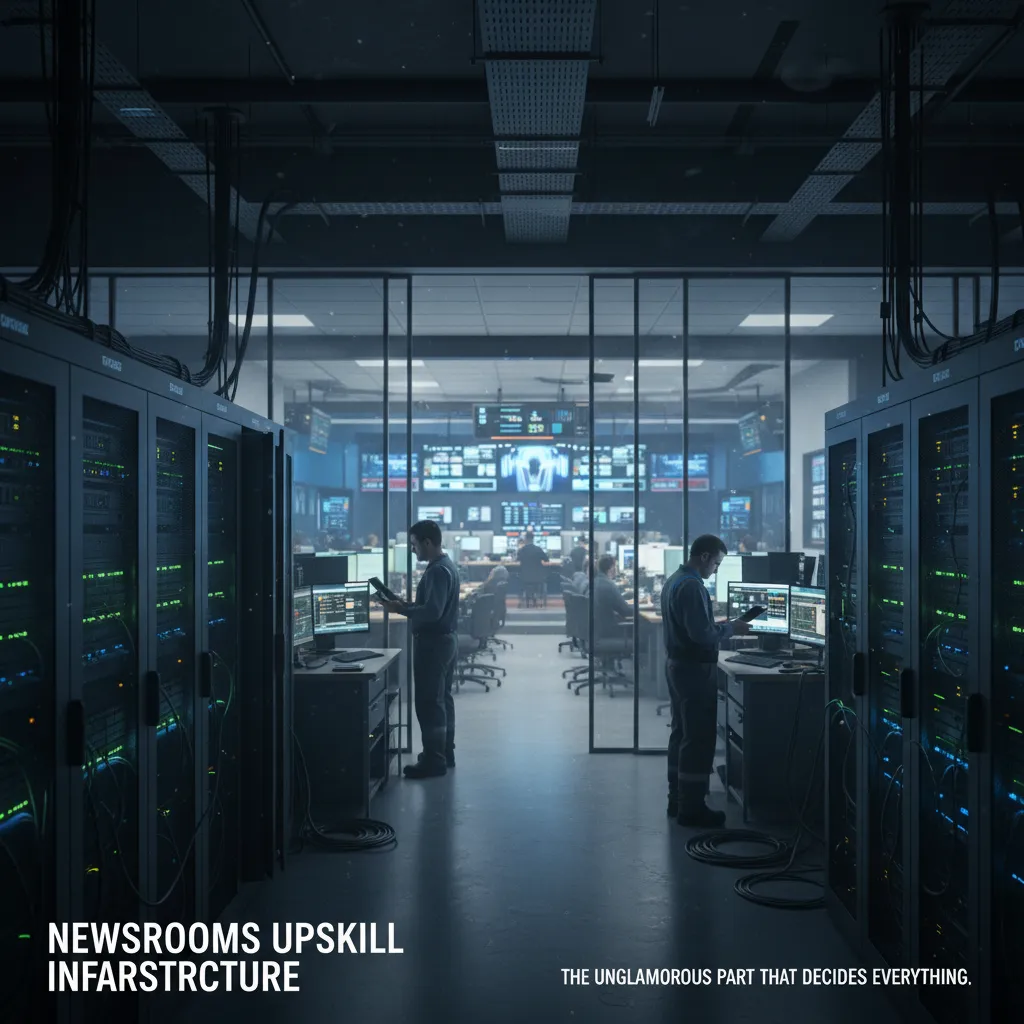
3) Newsrooms upskill infrastructure: the unglamorous part that decides everything
In every “How to implement AI in news” plan I’ve used, the turning point is not the model. It’s the infrastructure. If I skip the boring setup, I get fast demos—and slow disasters.
Inventory tools, access, and data paths
First, I inventory tools and permissions: who can use what model, with what data, and where it’s stored. These are the questions that feel dull in a meeting, but they prevent spicy disasters like leaking embargoed notes into a public chatbot.
- Approved models (internal, vendor, open-source) and their limits
- Data types allowed: public, internal, sensitive, source-protected
- Storage rules: where prompts, outputs, and files live
- Roles: reporter, editor, audience, product—each with different access
Budget for the parts nobody screenshots
Next, I budget for AI infrastructure investment. Not just “AI seats,” but the plumbing: secure environments, logging, prompt/version control, and staff training time. If I can’t trace which prompt produced which paragraph, I can’t fix errors or defend decisions.
| Need | Why it matters in a newsroom |
|---|---|
| Secure workspace | Keeps source material and drafts protected |
| Logging | Creates an audit trail for edits and corrections |
| Prompt/version control | Stops “mystery prompts” from shaping coverage |
| Training time | Makes quality repeatable, not luck-based |
Two short workshops that change behavior
I run two workshops, each under an hour:
- “How models hallucinate”—we practice spotting confident errors and verifying claims.
- “How to write prompts like a reporter, not a marketer”—we focus on sourcing, constraints, and neutral tone.
Rule I repeat: “If you can’t verify it, you can’t publish it—no matter how fluent it sounds.”
A 2-minute AI ethics statement
Finally, I write an AI ethics statement that’s readable in under 2 minutes. If it needs a table of contents, it’s too long. I keep it plain: what we use AI for, what we don’t, how we label, and how readers can flag issues.

4) Increased demand verification: building a reality-check engine (C2PA and friends)
In 2026, I treat verification like a product feature, not a back-office chore—especially for visuals. If our audience can’t trust images, they won’t trust anything else we publish. So I build a repeatable “reality-check engine” that runs every day, not just during breaking news.
Visual verification as a workflow (not a vibe)
I standardize how we check photos and video before they hit the CMS. My baseline workflow includes:
- Provenance check: where did this file come from, and can we prove it?
- Metadata review: timestamps, device info, edits, and export history.
- Open-source checks: reverse image search, location clues, weather, shadows.
- AI artifact scan: common deepfake tells (hands, text, reflections, edges).
C2PA and provenance metadata (the “nutrition label” for media)
I explore standards like C2PA to attach and read provenance metadata. When a partner sends a C2PA-signed image, I can see a chain of custody: capture device, edits, and publishing steps. It doesn’t solve everything, but it gives me a strong signal. I also track “C2PA missing” as a risk factor, not an automatic rejection.
My deepfake triage path
I create a clear path for what gets flagged, who reviews, and how fast we respond:
- Auto-flag high-risk visuals (unknown source, viral claim, no provenance).
- Assign to a trained editor + visuals producer within 5 minutes.
- Decide: publish, hold, or publish with limits (e.g., “unverified”).
- Log the evidence in a verification note inside the story record.
Scenario test: “too-perfect” disaster photo, 20 minutes to deadline
My decision tree is simple:
- If C2PA verified + source confirmed: publish with standard caption.
- If no C2PA but independent confirmation (two sources + OSINT match): publish, note verification steps.
- If only one source and visual looks synthetic: hold, use alternative imagery, or run text-only.
Speed matters, but trust compounds. I’d rather miss a photo than publish a fake.
5) Agentic AI automation: moving from single tasks to complex workflows automation
In 2026, I don’t start with “let’s automate the newsroom.” I start with a sandbox. Following a source-first approach from my implementation checklist, I pilot agentic AI only where it can save time without touching the final publish button.
My three sandbox pilots (small, real, measurable)
- Investigation support workflow: the agent gathers public records links, builds a timeline, and flags gaps in documents. It can draft a memo, but it must attach sources.
- Fact-check assist workflow: the agent extracts claims from a draft, suggests verification steps, and routes tasks to the right desk (data, legal, editor). It never “declares truth” without evidence.
- Interview prep workflow: the agent reads background material, proposes questions, and generates a “what we still don’t know” list based on my reporting notes.
My hard boundary: draft, suggest, route—never publish
I keep a strict rule: agents can draft, suggest, and route, but they cannot publish without my sign-off. This repeats the human review process on purpose. Even if the workflow is automated end-to-end, the last step is always a human decision.
How I evaluate “reasoning model agents” before they touch real work
I add a simple newsroom-ready test: can the agent show steps, sources, and uncertainty? If it can’t explain how it got an answer, it’s not ready for production.
| Check | What I require |
|---|---|
| Steps | Clear, repeatable workflow notes |
| Sources | Links, documents, or transcripts attached |
| Uncertainty | Confidence level + what could be wrong |
Mini confession: my first agent spammed a teammate with 14 follow-up questions.
That mistake taught me to add throttles and basic manners: limits on pings, batching questions, and a rule to ask only what it truly needs. Agentic AI automation works best when it behaves like a calm junior producer—not a noisy robot.
6) News audiences AI: transparency, personalization, and the “synthetic reader” wild card
When I bring AI into audience work, I treat it like any other newsroom tool: useful, but only if readers understand it and it serves them. In my step-by-step AI rollout, I focus on transparency, shared audience insight, and careful personalization—not growth hacks.
Disclose AI use in plain language
I avoid legal-style disclosures. Instead, I use a short, consistent label and only add detail when it matters.
- Short label: “AI-assisted” (with a one-line note like “Used for transcript cleanup and headline options.”)
- Long explainer: a simple story page that answers: What did AI do? What didn’t it do? Who checked it?
If AI touched quotes, numbers, or sensitive topics, I disclose more. If it only helped with formatting, I keep it brief.
Test stories with a “synthetic reader”
I experiment with a chatbot trained on audience personas (not real user data) to sanity-check tone, clarity, and missing context. I’ll ask:
- “What would confuse you in the first 3 paragraphs?”
- “What key question is unanswered?”
- “Which terms need a quick definition?”
This doesn’t replace real readers. It’s a fast way to catch blind spots before publishing.
Democratize audience data with an internal bot
Dashboards hide insight behind logins and jargon. I build a simple internal bot that answers questions like:
“How did similar stories perform last month, and what headline formats worked best?”
It returns plain-language summaries plus links to the source reports, so editors, reporters, and producers can all use the same facts.
Design personalization that helps, not traps
I treat news personalization as a format, not a tunnel. I use “Because you read…” context, topic controls, and a “surprise me” option. I also keep a strong front page with shared civic stories, so personalization supports discovery instead of creating a filter bubble.
7) Conclusion: my step-by-step “publish with confidence” loop
In 2026, I don’t treat AI like a magic button. I treat it like a newsroom system that needs clear choices, clear rules, and clear checks. That’s why I keep my “publish with confidence” loop simple: Decide (the use case) → Design (the workflow) → Document (policy + disclosure) → Verify (tools) → Review (human) → Learn (audience feedback). This is the core of my step-by-step guide for how AI reshapes newsrooms, because it turns “we tried AI” into “we can trust what we publish.”
First, I Decide what AI is allowed to do. Is it helping with interview prep, translation, headline options, or data cleanup? If I can’t name the use case in one sentence, it’s too vague to be safe. Then I Design the workflow so AI outputs always land in the right place: drafts are labeled, sources are attached, and handoffs are clear.
Next comes Document. I write down the policy and I plan disclosure early, not after a mistake. Readers deserve to know when AI helped, especially if it shaped wording, summaries, or visuals. After that, I Verify with the right tools—fact checks against primary sources, quote validation, image checks, and basic red-flag scans for hallucinations and bias.
Then I Review like a journalist, not like a content manager. A human editor owns the final call, because accountability can’t be automated. Finally, I Learn from the audience: corrections, complaints, praise, and confusion all count as signals.
I measure what matters: corrections, time saved, and reader trust signals—not just output volume. I also revisit my acceptable/less acceptable list quarterly because norms shift fast (and so do models). One last aside: if my AI stack makes junior reporters afraid to ask questions, I’ve built the wrong future.
TL;DR: Implement AI in AI news by starting with safe workflow helpers (transcription, translation), then investing in AI infrastructure training and verification (e.g., C2PA) before moving into agentic AI automation. Keep a human review process non-negotiable, disclose AI use transparently, and use synthetic audience models to test clarity without letting bots replace editorial judgment.


