

Last spring I sat in on a pipeline review where two dashboards told two completely different stories—same quarter, same reps, same “truth,” and yet wildly different forecasts. The awkward silence wasn’t about the numbers; it was about the AI behind them. That meeting is why I’m writing this. In 2025, “CRM AI” isn’t a shiny add-on anymore—it’s the invisible teammate shaping who gets contacted, what gets sent, and what leadership believes. So I’m comparing Salesforce Einstein vs. HubSpot AI the way I wish someone had done for me: with real constraints, time-to-value, and a few honest detours.
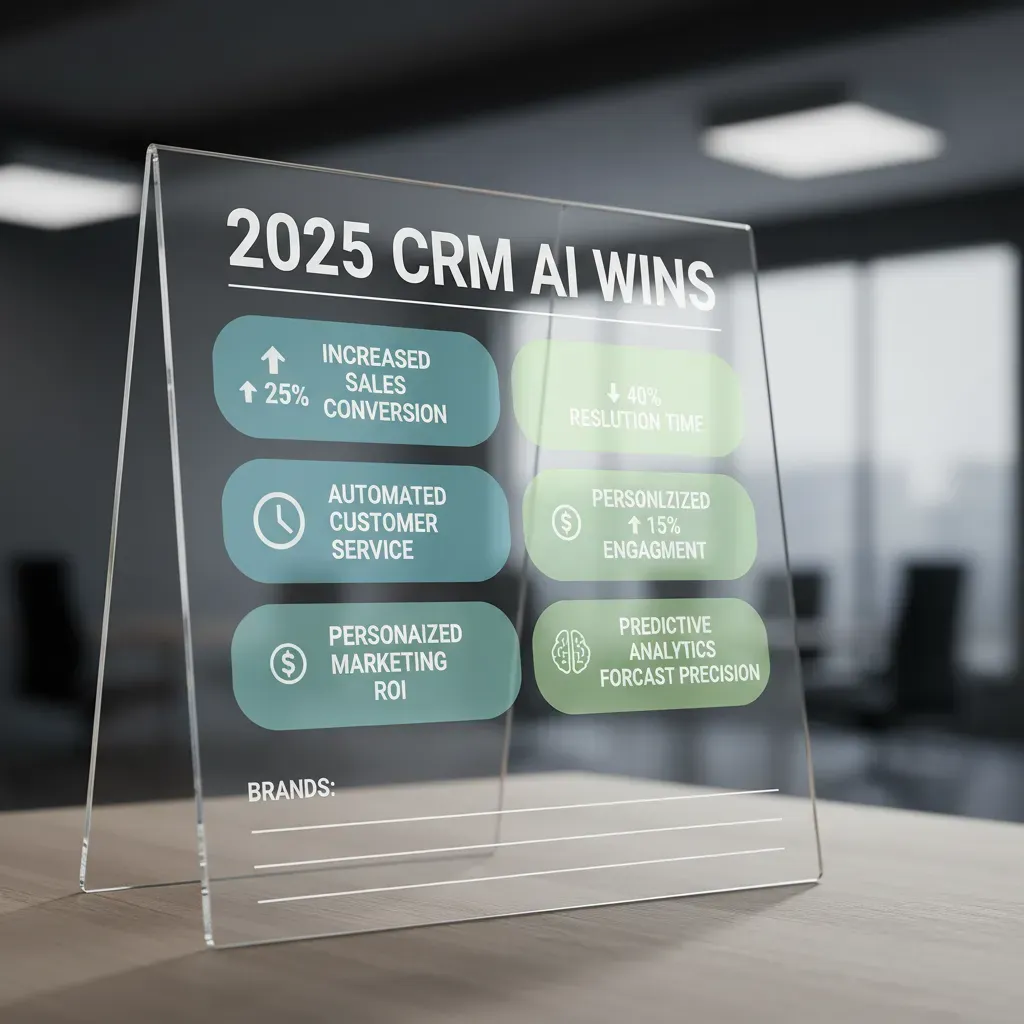
My 2025 “CRM AI wins” scorecard
I refuse to judge CRM AI by demos. Demos are rehearsed, data is clean, and the “wow” moments are pre-picked. My rule is simple: does it save time by week two? If the answer is no, it’s not a win—no matter how smart it sounds.
What I actually score (not what vendors highlight)
- Predictive accuracy: Are forecasts, lead scores, and next-step suggestions right often enough to trust?
- Response time: Does it answer fast inside the CRM, or do reps stop using it because it feels slow?
- Workflow automation depth: Can it trigger real actions (routing, follow-ups, task creation), not just write text?
- Data processing reliability: Does it handle messy fields, duplicates, and partial records without breaking?
- User experience: Is it obvious where to click, what changed, and how to undo mistakes?
The hidden cost nobody budgets for
Quick tangent: the hidden cost of AI isn’t licensing—it’s the meetings you’ll have about data quality. Every “why is the AI wrong?” thread turns into a pipeline hygiene debate. If your team can’t agree on definitions like “qualified,” your AI will inherit that confusion.
How I weight the scorecard by team
| Team | What I weight most |
| Marketing | Data reliability + automation depth (segmentation, nurture, attribution) |
| Sales | Response time + accuracy (prioritization, next best action) |
| RevOps | Reliability + automation depth (governance, handoffs, reporting) |
My wild-card analogy
CRM AI is either a sous-chef (fast, helpful) or a head chef (powerful, demanding)—pick the kitchen you run.
HubSpot AI in the messy middle: fast wins for Marketing Teams
In my last HubSpot-heavy project, rapid deployment didn’t feel like a slogan—it felt like fewer blockers and more momentum. We weren’t waiting on long admin queues or complex integrations just to test an idea. I could turn on AI features, connect the core data sources, and start improving real campaigns in days, not weeks. For a marketing team living in the “messy middle” (half-planned, half-reactive), that speed matters.
Core capabilities I’d actually use daily
- Content assistance: I used it to draft landing page sections, rewrite CTAs, and create quick variations that matched our brand voice.
- Email personalization: Simple tokens plus AI suggestions helped me tailor subject lines and intros based on lifecycle stage and recent activity.
- Campaign automation: I leaned on AI-supported workflows to route leads, trigger nurture sequences, and keep follow-ups consistent.
Where HubSpot AI shines for CRM AI
HubSpot AI works best when your customer data is centralized and your processes are consistent. In my experience, it’s a strong fit for small-to-mid teams that need one system to run content, email, forms, ads, and reporting without stitching together five tools. When the data model is clean, the AI outputs are more reliable—and adoption is easier because everyone works in the same place.
Where it stumbles (in my opinion)
It struggles when you ask it to act like a multi-cloud enterprise brain. If your world depends on complex account hierarchies, custom objects everywhere, and deep cross-platform governance, HubSpot can feel constrained.
I learned this the hard way: don’t automate workflows you haven’t documented yet.
If the process isn’t written down, AI just helps you scale confusion faster.
Salesforce Einstein: when Enterprise Customization matters more than speed
My “remember to breathe” moment came the first time I watched Salesforce Einstein work across Sales Cloud, Service Cloud, and Marketing Cloud in one connected flow. A lead engaged with a campaign, the rep got a next-best action, and support context was already there. It felt less like a feature and more like CRM AI built into the system’s backbone.
Core capabilities that feel enterprise-native
Einstein shines when your data model is complex and your teams live in different clouds. What stands out to me is how the predictions can tie back to real Salesforce objects (accounts, opportunities, cases), not just a separate scoring layer.
- Multi-cloud integration that supports shared context across teams
- Advanced lead scoring that can reflect your fields, stages, and rules
- Predictive analytics connected to pipeline, service outcomes, and lifecycle data
The tradeoff: more knobs, more people
The same flexibility that makes Einstein powerful can slow you down. More customization usually means more implementation work, more stakeholders, and more governance. In practice, I’ve seen projects require admins, ops, security, and sometimes data teams just to keep the AI inputs clean and trusted.
Einstein Copilot: practical help vs heavy analysis
Einstein Copilot feels most useful when it gives quick, contextual recommendations right where a rep or agent is working. For deeper questions, the experience can shift into heavier analytics-style queries, which may be better for power users than frontline teams.
If you want AI to change behavior, build it into the page layouts and the workflow, not a separate dashboard.

Lead Scoring showdown: the “quiet feature” that changes revenue
I care about lead scoring more than flashy AI copywriting because it decides who gets attention first. In real life, reps don’t have infinite time. If the score is wrong, the best leads wait, and the “okay” leads get all the calls. That’s how revenue quietly leaks.
How HubSpot AI lead scoring feels in practice
With HubSpot, CRM AI lead scoring tends to feel approachable. I can usually tweak it fast, align it with simple inbound signals (forms, pages, email clicks), and keep it consistent across the funnel. For teams running steady inbound, it’s easy to explain and easy to maintain.
- Fast to adjust when campaigns change
- Clear inputs that marketing and sales both recognize
- Great for repeatable inbound motion
How Salesforce Einstein lead scoring feels
Salesforce Einstein feels more like a deeper modeling engine. When I’m dealing with complex B2B, multiple products, long cycles, and multi-touch journeys, Einstein’s approach can map better to reality—especially when “intent” is spread across many interactions and objects.
- Stronger fit for complex account-based selling
- Better depth when data lives across many sources
Two identical leads: webinar vs partner list
Imagine two leads with the same title and company size. One comes from a webinar, one from a partner list.
In HubSpot, I often see the webinar lead score higher because the engagement trail is obvious and recent. In Salesforce, Einstein may prioritize the partner lead if historical partner-sourced deals close at a higher rate, even with less direct engagement.
My sanity check: if reps don’t trust the score in week one, the model might be fine—but your rollout isn’t.
Predictive Analytics & Sales Forecasting: where the numbers start arguing back
The big promise of CRM AI is simple: predictive analytics that flags deals at risk before my gut does. When it works, it feels like the pipeline starts talking—quietly pointing at stalled stages, missing meetings, or “happy ears” notes that never turn into next steps.
The reality: AI only forecasts well after data cleanup
Forecasting only gets “smart” after I clean customer data (yes, again—sorry). If close dates are fantasy, stages are inconsistent, or reps skip key fields, the model learns the wrong patterns. Then the AI isn’t predicting revenue—it’s predicting our habits.
Salesforce Einstein forecasting: about that “87% accuracy” claim
Salesforce Einstein is often positioned as the more advanced option, and you’ll see an 87% accuracy figure mentioned in marketing. Before I believe it, I’d ask:
- Accuracy of what? Amount, close date, or win probability?
- Compared to what baseline? Rep commit, manager roll-up, or last-year trend?
- On which dataset? Industry, deal size, sales cycle length?
- How measured? MAPE, within-range, or “directionally correct”?
- What inputs are required? Activities, emails, call logs, product usage?
HubSpot AI forecasting: simpler patterns, faster setup
HubSpot AI tends to feel more “plug-and-play.” It leans on simpler patterns and cleaner defaults, so setup is faster and the output is often good enough for many teams—especially if you’re not running complex multi-product pipelines.
My practical tip: separate “forecast” from “plan”
Forecast = what will happen. Plan = what I want to happen.
I keep them separate so the AI doesn’t inherit my optimism. I’ll track a realistic AI-backed forecast, then build a plan that shows the extra pipeline and activities needed to beat it.

Workflow Automation & Campaign Automation: the unglamorous productivity engine
When I compare CRM AI tools in real life, workflow automation is where AI actually pays rent. It’s not flashy. It’s fewer manual handoffs, fewer “did you see my email?” follow-ups, and fewer leads falling into a black hole because nobody owned the next step.
HubSpot AI: quick wins for nurture loops
HubSpot AI workflow automation feels built for speed. I can launch a workflow fast, the UI is friendly, and it’s great for nurture and email personalization loops. For example, I’ll use behavior triggers (opened, clicked, visited pricing) to adjust timing and messaging without rebuilding the whole campaign.
Salesforce Einstein: enterprise power (with guardrails)
Salesforce Einstein workflow automation is powerful across clouds—Sales, Service, Marketing, and more. That cross-system reach is a big deal, but I’ve learned I need clear ownership and guardrails. Without them, automations multiply, overlap, and create messy routing rules that nobody wants to touch.
My mini horror story (and the fix)
I once set an “over-eager” automation that re-enrolled contacts after any form fill. Sounds harmless—until a segment downloaded two assets in one day and got spammed with repeated emails. I fixed it by adding:
- Re-enrollment limits (cooldown windows)
- Frequency caps per contact
- Exit criteria once a meeting is booked
- Human review for high-volume segments
The time-savings math I use
My rule is simple: if an automation doesn’t save 5 minutes per rep per day, it’s probably not worth the governance overhead. I’ll even write it out:
5 minutes × 20 reps × 20 workdays = 2,000 minutes/month (~33 hours) saved.
That’s when automation stops being “nice” and starts being a real productivity engine.
Pricing Breakdown, implementation costs, and the ROI timeline reality check
When I compare CRM AI pricing, I never start with the subscription. The real cost shows up in implementation. Complexity quietly multiplies cost through setup time, data cleanup, integrations, and the people needed to keep it running.
Why “pricing” is never just the subscription
- Data work: importing, deduping, and fixing field rules
- Integrations: email, ads, support tools, billing, and warehouses
- Security and permissions: roles, sharing, and compliance checks
- Ongoing admin time: dashboards, automation, and AI tuning
Typical rollout patterns I see
HubSpot AI usually has a faster story: fewer moving parts, simpler setup, and less need for specialists. Many teams can ship core workflows in weeks, then improve as they learn. That often means earlier ROI because reps actually use it sooner.
Salesforce Einstein often has a longer runway: more customization, deeper data models, and heavier integration work. The payoff can be bigger—especially for complex sales orgs—but implementation costs can rise fast if you need consultants, architects, or custom development.
The budget conversation I wish I had earlier
I now treat these as real line items, not “nice to have”:
- Training: onboarding reps, managers, and ops
- Change management: new processes, new definitions, new habits
- Admin capacity: who owns automation, data quality, and AI settings?
My decision shortcut: if leadership wants ROI in a quarter, I choose the platform that can ship in weeks, not months.
My pick-by-scenario conclusion (and the question I’d ask myself)
Scenario A: small team, needs momentum
If I’m running a small team and I need results fast, I’d lean HubSpot AI. The setup is usually lighter, the workflows feel more guided, and the AI features tend to show value quickly in everyday tasks like email drafts, follow-ups, and basic deal hygiene. In this scenario, CRM AI wins when it removes friction, not when it offers the deepest possible controls.
Scenario B: regulated enterprise, multi-cloud reality
If I’m in a regulated industry, managing complex permissions, and living across multiple clouds, I’d lean Salesforce Einstein. I’m thinking about governance, audit trails, data models, and the ability to fit AI into a larger architecture without breaking compliance. Here, the “best” CRM AI is the one that can scale with strict rules and still connect to the systems my teams already depend on.
Scenario C (wild card): hybrid stack + limited ops capacity
If my stack is mixed and my ops capacity is thin, I’d choose the tool that is good enough and easiest to keep clean. The most powerful AI won’t help me if my data is messy, my fields are inconsistent, or nobody owns the process. In this case, simpler automation and clear adoption often beat advanced features that never get tuned.
That one question clarifies everything, because CRM AI is only as useful as the data it can access and the team that maintains it. Thinking back to my awkward pipeline meeting, I’d stop debating features and start by mapping data sources, defining ownership, and agreeing on one “source of truth.” Then I’d pick the platform that fits that reality—not the one with the flashiest demo.
If you want quick wins, minimal setup, and marketing-friendly workflow automation, HubSpot AI tends to feel like the faster on-ramp. If you need enterprise customization, multi-cloud muscle, and more advanced predictive analytics (including strong sales forecasting accuracy on clean data), Salesforce Einstein is usually the safer bet—just plan for longer implementation and higher complexity.


