
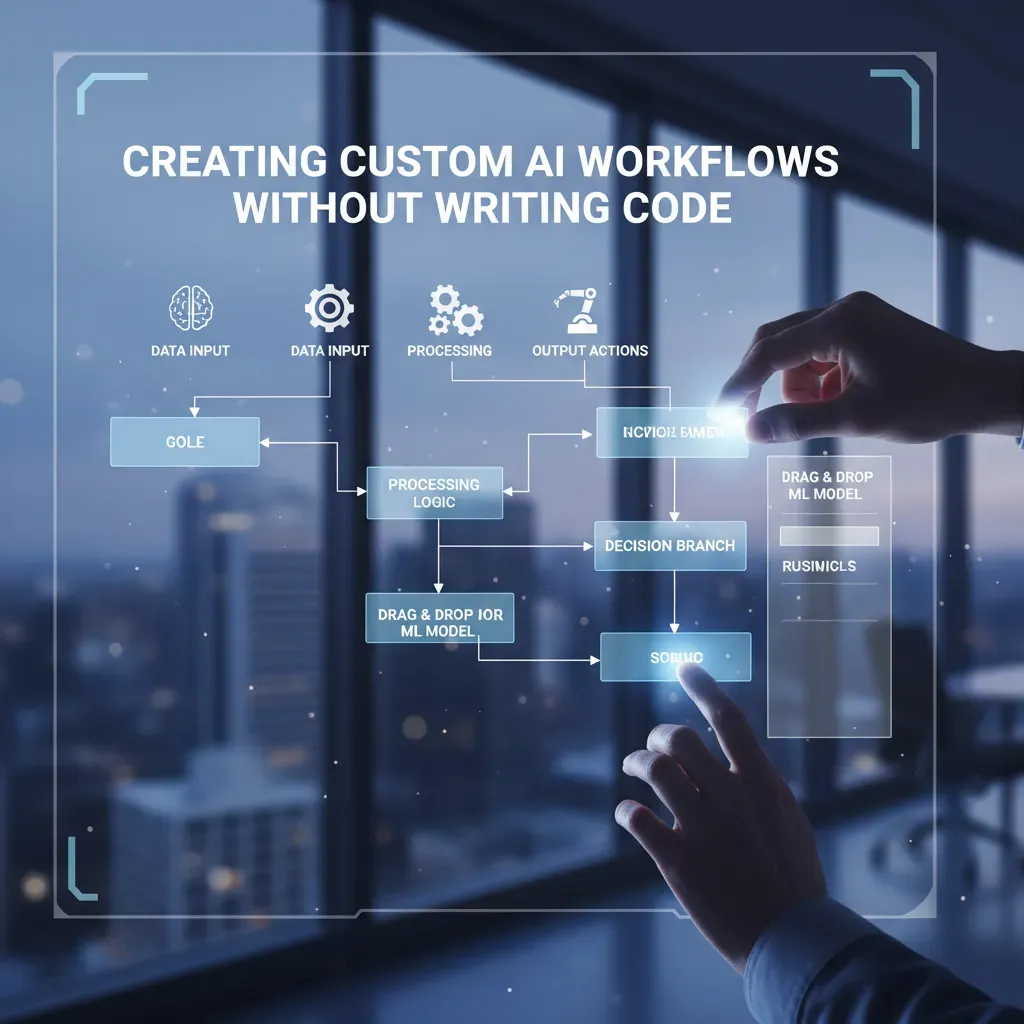
I’ll be honest: the first time I tried to wire together an API, I broke three tokens and learned what ‘rate limit’ really means. That crash course pushed me to explore no-code AI tools. Over a few weekends I moved from copy-pasting docs to sketching agent flows on a visual canvas. In this post I walk you through how I create custom AI workflows without writing a single line of code—mixing practical steps, platform notes, a handful of industry numbers, and a couple of imperfect experiments that taught me more than any tutorial.
Why No-Code AI Platforms Matter
When I first started exploring AI marketing automation, most advice assumed I could write code, manage APIs, and debug scripts. That “code-first” mindset still works, but it slows marketing teams down. Today, the shift is clear: we’re moving from code-first automation to visual-first automation, where I can build workflows by dragging blocks, mapping fields, and setting simple rules.
From Code-First to Visual-First (and Why Marketers Care)
For marketers, timing matters. If I can’t launch a lead follow-up flow until a developer is free, I lose momentum. No-code AI platforms let me test ideas the same day—like routing leads, summarizing calls, or generating ad variations—without waiting for a sprint cycle.
- Speed: I can build and adjust workflows in minutes, not weeks.
- Lower costs: Fewer custom builds means less spend on development and maintenance.
- Empowerment: Non-technical teammates can iterate, learn, and improve results fast.
Real-World Scale: Integrations Make It Practical
No-code matters because it connects to the tools I already use. Zapier connects to 8,000+ apps, which makes it easy to link forms, CRMs, email platforms, and spreadsheets. Make supports 3,000 integrations and is used by 250,000 businesses, so it’s not a niche tool—it’s a proven workflow layer for real teams.
| Platform | Integration Reach |
| Zapier | 8,000+ apps |
| Make | 3,000 integrations; 250,000 businesses |
My First Failed Workflow (and What It Taught Me)
I once built a simple lead-to-CRM automation and felt confident—until it silently failed. The mistake was small: a required field was blank, and I didn’t add a fallback. That failure taught me to respect error handling: always validate inputs, add defaults, and log what happens.
Automation isn’t “set and forget.” It’s “set, watch, and refine.”
Now I add a basic check like if email is empty → send to review before anything touches my CRM.
Tools I Use (and Why I Pick Them)
When I build AI marketing automation without code, I rely on a small toolkit. I try to pick tools that are easy to connect, easy to debug, and easy to hand off to a teammate later.
Short profiles of my go-to tools
- Zapier: My default for fast wins. I like the huge list of integrations and Copilot for drafting Zaps from plain language. It’s great when I need “trigger → action” flows quickly.
- Make: I use it when workflows get complex. The visual canvas helps me see branches, filters, and loops. It’s my choice when I need more control than a simple linear automation.
- Parabola: My favorite for cleaning and shaping data. The data previews make it obvious what’s happening at each step, and the error messages are usually actionable.
- Nanonets: My pick for multilingual OCR. When I’m processing invoices, forms, or screenshots from different regions, it handles messy documents better than most “basic OCR” options.
- Vellum: I like it as a natural-language co-builder. When I want to describe a workflow in plain English and refine it step-by-step, it keeps me moving without getting stuck in settings.
How I decide which tool to use
- Marketing automation (leads, email, CRM updates): I start with Zapier. If I need branching logic or multi-step routing, I switch to Make.
- Document processing (PDFs, scans, receipts): I start with Nanonets for extraction, then use Parabola to validate fields and fix formatting before sending data to a CRM or spreadsheet.
Integration notes (and why authentication is a relief)
Most platforms handle authentication for me, which is huge. Instead of building OAuth flows, I usually just paste an API token once and store it in the platform’s connection manager. I still label tokens clearly and rotate them when team access changes.
My tiny rant: feature bloat is real. I try to choose the simplest tool that does the job, because “more options” often means more places to break.

Step-by-Step: Building a Custom AI Workflow (My Playbook)
1) Start with a “one-sentence mission”
Before I touch any tool, I write the goal in plain English. I treat it like an agent brief, not a tech spec. I call this my one-sentence mission:
“When X happens, collect Y, transform it into Z, and send it to A—with a human approval if risk is high.”
This keeps my AI marketing automation workflows focused and prevents “feature creep.”
2) Map the visual canvas (nodes, triggers, transforms, approvals)
Next, I sketch the workflow on a visual builder (even on paper first). I think in nodes:
- Trigger (event-driven): form submission, new lead in CRM, new support ticket, new file in Drive.
- Data transforms: clean fields, merge records, detect language, summarize, classify intent.
- AI steps: generate ad variants, draft email replies, score lead quality, extract entities.
- Human-in-the-loop: approvals for brand voice, compliance, or high-value accounts.
I label each node with the input and output so I can spot gaps fast.
3) Plug in integrations (no-code connectors + AI services)
Then I connect the apps. For most SaaS tools, I use Zapier or Make connectors (CRM, email, Slack, Sheets, ads platforms). If the workflow needs document intake, I add Nanonets for OCR to pull text from PDFs or screenshots.
For smarter responses, I use a custom LLM step for RAG workflows (retrieval-augmented generation): it searches my approved knowledge base (FAQs, product docs, policies) and drafts output grounded in that content.
4) Test, iterate, and protect production
I never ship on the first run. I do sandbox tests, then regression tests with old examples. My checklist:
- Audit trails: log prompts, sources, and final outputs.
- Role-based permissions: who can edit, approve, and publish.
- Edge cases: missing fields, duplicates, weird file formats.
- Fallbacks: route to a human when confidence is low.
Security, Compliance, and Performance
When I build AI marketing automation workflows with no-code tools, I treat security and speed like core features, not “later” tasks. A workflow that saves time but leaks data or breaks under load is not a win.
My security and compliance checklist
- Role-based permissions: I only give access to the steps a person owns (editing prompts is different from viewing customer data).
- Immutable audit trails: I want logs that cannot be changed, so I can prove what ran, when, and by whom.
- On-premise deployment options (when needed): for regulated teams, I look for connectors or runners that can stay inside a private network.
Data security measures I rely on
I pay close attention to how the platform handles tokens and API calls. I store secrets in a vault-like area, not inside a visible step. I also rotate keys and limit scopes so a leaked token can’t do much.
- Token handling: least privilege, rotation, and masking in logs.
- API call management: allowlists for endpoints, request signing where available, and strict timeouts.
- Encryption: in transit (TLS) and at rest (encrypted storage for files, logs, and cached outputs).
Performance: keeping workflows fast and reliable
No-code doesn’t remove technical limits. I design for them.
- Real-time data previews: I test with live samples to catch mapping issues early.
- API rate limits: I add batching, backoff, and queues so campaigns don’t fail during spikes.
- Error resolution strategies: retries for temporary errors, dead-letter paths for bad inputs, and alerts with the exact failed step.
My rule: if I can’t explain how data is protected and how failures recover, the workflow isn’t ready.
One time, an OCR step misread “0” as “O” in invoice IDs, so leads were routed to the wrong segment. I fixed it by adding semantic routing: instead of matching exact strings, the workflow checked surrounding context (vendor name + total + date) before choosing the route. That small change stopped the misroutes without adding code.
Measuring Impact: ROI, Cost Savings, and Scale
How I measure ROI in no-code AI marketing automation
When I build custom AI workflows without writing code, I track ROI with three simple signals: time-to-deploy reduction, automation cost savings, and error reduction. I keep it practical: if a workflow ships faster, costs less to run, and creates fewer mistakes, it’s working.
- Time-to-deploy: days vs. weeks/months to launch a campaign workflow.
- Cost savings: hours saved + tool costs avoided (or reduced).
- Error reduction: fewer wrong links, missing UTM tags, or misrouted leads.
Examples I use to quantify gains
One of my biggest wins came from moving a workflow build from months to days. That cut deployment overhead like meetings, handoffs, and rework. I also measure savings per campaign by counting the manual steps I removed.
“If a workflow saves 3 hours per campaign and I run 12 campaigns a month, that’s 36 hours back—before I even count fewer errors.”
For error reduction, I compare “before vs. after” checks: how often did we fix broken personalization fields, wrong audience segments, or inconsistent copy? Even a small drop matters because errors create hidden costs (lost leads, refunds, support time).
Scaling tips I rely on
- Semantic routing: I route requests by intent (e.g., “ad copy” vs. “email nurture”) so one workflow can handle many tasks.
- Custom nodes extension: When a platform allows it, I add a reusable node for brand voice, compliance checks, or UTM building.
- Agent orchestration: I assign specialized agents (research, draft, QA) to run multiple workflows in parallel.
The spreadsheet layout I use for forecasting
| Workflow | Deploy Time (Before/After) | Hours Saved/Campaign | Campaigns/Month | Hourly Rate | Error Rate (Before/After) | Monthly ROI |
| Lead routing + follow-up | 30d / 5d | 2.5 | 10 | $60 | 8% / 2% | (2.5*10*60) – tools |

Wild Cards: Creative Uses, Hypotheticals, and Small Failures
A fun hypothetical: the no-code AI concierge
I like to imagine an AI concierge that runs quietly in the background. A customer emails “Where’s my order?” or “I need a refund,” and the workflow triages the request, tags the intent, and routes it to the right lane. If an invoice is attached, it uses OCR to read it, files it to the correct customer record, and then triggers a refund flow—without writing code. In a no-code builder, this is just blocks: inbox trigger → classify → extract → validate → approve/deny → notify → log.
Creative analogy: AI workflows are like Lego
When I build AI marketing automation workflows, I treat them like Lego. Each node is a brick: “summarize,” “score lead,” “send Slack alert,” “update CRM.” Sometimes I snap in the wrong brick and the whole thing looks odd. That’s not wasted time. The wrong brick tells me what the workflow is missing: a rule, a check, or a clearer prompt.
A small failure that turned into a small win
One time my multilingual OCR step misread a Spanish invoice total: it turned “1.250,00” into “1,250.00” and flagged it as a different amount. The fix was simple: I added a validation node that checks currency, locale, and expected ranges before the refund step. Now the workflow asks for human review when totals look suspicious, and my refund automation is safer.
“Automation isn’t about removing people. It’s about removing repeat decisions.”
Prompt bank: natural-language prompts I reuse
- Triage: Classify this message as: billing, refund, shipping, product question, or other. Return label + 1-sentence reason.
- Extract: From the text, extract: order_id, email, invoice_total, currency, date. Return JSON.
- Refund check: Decide if refund is eligible based on policy: [paste rules]. If unclear, ask 2 questions.
- Marketing follow-up: Write a friendly reply in the customer’s language. Keep under 120 words. Include next step + timeline.
- Lead scoring: Score intent 1-5 for purchase readiness. Explain in 3 bullets for CRM notes.
If you take only one idea from this guide on creating custom AI workflows without writing code, let it be this: start small and start now. This week, I want you to build a tiny workflow with one trigger, one action, and one validation step. For example, a new lead form submission (trigger) can create a draft follow-up email with AI (action), and then you quickly review the draft before it sends (validation). That simple loop is the safest way to learn AI marketing automation without feeling overwhelmed.
Before you switch anything on, I run a quick mental checklist. First, I name the goal in one sentence, so I know what “done” looks like. Next, I sketch the workflow on a canvas, even if it’s just boxes on paper. Then I confirm the integration points: which app provides the trigger, which tool runs the AI step, and where the result should land. After that, I test with fake data, because real customers should never be my first experiment. I also check security—what data is being sent, who can access it, and what should be masked or removed. Finally, I measure: time saved, errors reduced, and whether the workflow actually improves my marketing outcomes.
For next steps, I recommend experimenting with tools like Zapier Copilot or Vellum to speed up your setup and prompt design. I also keep an “automation journal” where I write what I built, what broke, what I changed, and what I learned. It sounds simple, but it helps me improve faster. And when you get a small win—like saving 20 minutes on content prep—share it with your team or community. Small wins build momentum.
Automation is a craft: expect messes, celebrate fixes, and iterate.
That’s my call to action: build one tiny workflow this week, validate it, and improve it next week. You’ll be surprised how quickly no-code AI becomes part of your daily marketing rhythm.
TL;DR: No-code AI platforms let non-developers assemble, test, and deploy AI-driven automations using visual builders, natural-language prompts, and integrations (Zapier, Make, Vellum) — faster and cheaper than traditional development.


