
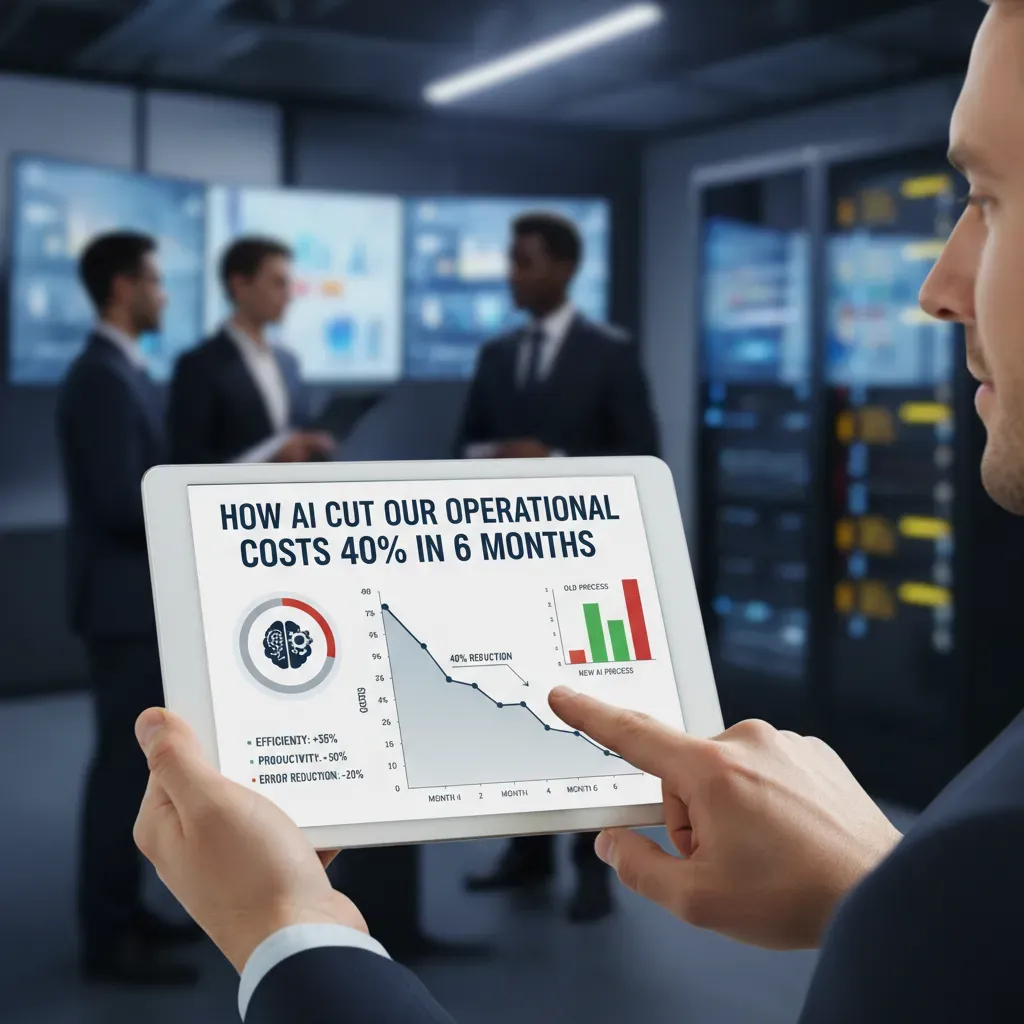
I still remember the spreadsheet that stared back at me one October morning — rows of expenses that seemed immovable. We were bleeding margin, and I was searching for a lever that could actually move the needle. Over coffee and a long afternoon of meetings, my team and I sketched a road map: inject targeted AI into the places where repetitive work, downtime, and guessing cost us the most. Six months later, our monthly operational costs had dropped 40%. This post is my attempt to unpack that messy, sometimes stubborn journey in a way that’s practical (and honest). I’ll share what we tried, what worked, what flopped, and the numbers that convinced our CFO to stop worrying and start investing.
Baseline: Where the Money Was Going (measuring operational costs)
Before we brought AI into our operations, I learned a hard lesson: you can’t “save 40%” if you don’t know what you’re spending today. So we started by building a clean baseline for our operational costs and the few KPIs that actually moved the needle. We focused on four buckets: OPEX (software, vendors, overhead), labor (hours and overtime), energy (facility and equipment usage), and logistics (shipping, returns, routing, and delays).
How we set the baseline (3 months pre-AI)
We pulled three months of data before any AI changes. Three months was long enough to smooth out random spikes, but short enough that our process didn’t change on its own. We used the same accounting categories every month and forced every team to map their spend to one of the four buckets.
| Baseline Window | What we captured | Why it mattered |
| Month -3 to Month -1 | OPEX, labor hours, energy bills, logistics invoices | Created a stable “before” picture |
| Monthly after baseline | Same metrics + notes on process changes | Made savings traceable, not guesswork |
How we tracked changes monthly
Each month, I reviewed results with finance and ops together. We didn’t just look at total spend; we looked at unit-level costs. That kept us honest when volume changed. We also logged every operational change (new vendor terms, staffing shifts, maintenance events) so we didn’t credit AI for something it didn’t do.
Measurement pitfalls we hit (and fixes)
- Double-counting labor: Some contractor invoices were counted in OPEX and again as labor hours. Fix: one owner for cost mapping and a single source of truth in the spreadsheet.
- Seasonal noise: Shipping costs rose during a busy period and hid early gains. Fix: track cost per unit and compare to the same month last year when possible.
- Mixed definitions: “Downtime” meant different things across teams. Fix: one definition and a simple rule: if it stops output, it’s downtime.
Dashboards and KPIs we used
We kept dashboards simple—no fancy tools required. Our core KPIs were:
- Cost per unit (total OPEX + labor + energy + logistics / units delivered)
- Downtime hours (by cause)
- Manual processing hours (time spent on repetitive tasks)
- Overtime hours (as a stress signal)
“If a metric can’t be explained in two minutes, it won’t be used in a real decision.”

Workflow & Process Automation: Cutting manual labor and errors
When we started using AI to reduce operational costs, we did not begin with big, risky projects. We began with the work that was most repetitive and most likely to create mistakes: data entry, invoice matching, and routine reporting. These tasks were eating hours every week, and the errors were expensive because they created rework, delays, and last-minute approvals.
What we automated first
We mapped our workflows and picked the steps that followed clear rules. Then we automated them in small pieces instead of trying to rebuild everything at once.
- Data entry: extracting fields from emails and PDFs and pushing them into our finance system.
- Invoice matching: matching invoice lines to purchase orders and delivery records.
- Routine reporting: weekly spend summaries, aging reports, and exception lists.
Our pilot: recurring invoices
Our first pilot was with the team handling recurring invoices (software subscriptions, monthly services, and standard vendor bills). This was the perfect test because the patterns repeat and the rules are stable. We used an automation flow that captured invoices, pulled key fields (vendor, amount, due date), and suggested matches based on past history.
Within a few weeks, we saw clear time savings. The team spent less time copying data and more time reviewing exceptions. In practical terms, processing a batch of recurring invoices went from “most of the morning” to “a focused review window,” and the backlog stopped building up.
Fewer errors, less rework
The biggest win was not just speed—it was accuracy. Before automation, small mistakes (wrong cost center, duplicate entry, missed tax line) created a chain reaction: corrections, re-approvals, and urgent messages to leadership when payments were at risk.
Automation did not remove human review—it removed the boring parts that caused human slip-ups.
With AI-assisted checks and rule-based validation, we had fewer corrections and fewer emergency approvals. Exceptions were flagged early, and the team could fix issues before they became payment delays.
Tools and vendors we trialed
We tested a mix of automation tools, RPA, and lightweight ML models:
- RPA tools for clicking through legacy systems and moving data between apps.
- Document AI/OCR for reading invoices and extracting structured fields.
- Lightweight ML for vendor recognition and match suggestions based on history.
Predictive Maintenance & Downtime Reduction (squeezing savings from equipment)
Instrumenting equipment and logging failure modes
One of the fastest ways AI helped us cut costs was by reducing unplanned downtime. We started by instrumenting our most critical assets: compressors, pumps, conveyors, and a few aging motors that always seemed to fail at the worst time. We added vibration sensors, temperature probes, and power-draw monitoring, then pulled existing PLC signals into a single data stream.
Next, we cleaned up our maintenance history. We standardized failure codes (bearing wear, seal leak, overheating, misalignment) and made sure every work order included: symptoms, root cause, parts used, and time-to-repair. That gave our predictive models something real to learn from, not just “machine broke.”
- Inputs: vibration, temperature, amperage, runtime hours, start/stop cycles
- Labels: failure mode + date/time + repair notes
- Output: risk score and “days-to-failure” estimate
The save that made everyone believe
About eight weeks in, our model flagged a steady vibration rise on a main conveyor gearbox. It wasn’t loud yet, and the line was still hitting targets, so in the past we would have ignored it. This time, we inspected during a planned window and found early bearing damage and metal dust in the oil.
That alert turned a surprise shutdown into a controlled, two-hour swap.
If it had failed mid-shift, we would have lost a full production run and paid rush rates for parts and labor.
How alerts flowed into IBM Maximo
We integrated the model output with IBM Maximo so alerts didn’t live in a dashboard nobody checked. When the risk score crossed a threshold, Maximo automatically created a notification and suggested a work order template. Our planner could then schedule the job in the next available maintenance slot, bundle it with other tasks, and reserve parts ahead of time.
if risk_score > 0.80: create_maximo_work_order(asset_id, “Inspect bearing + oil sample”)
Cost and downtime math (planned vs emergency)
| Item | Planned Maintenance | Emergency Repair |
| Labor | $600 | $1,800 (overtime) |
| Parts & shipping | $1,200 (standard) | $2,400 (rush) |
| Downtime | 2 hours | 10 hours |
In this one case, planned cost was $1,800 vs emergency cost of $4,200, saving $2,400. We also saved 8 hours of downtime. At roughly $1,500/hour in lost throughput, that’s another $12,000 protected—just by acting early.

Supply Chain & Inventory Optimization (less capital tied up)
One of the fastest ways we used AI to cut costs was by fixing inventory. Before, we relied on simple averages and “gut feel” reorder points. That led to two expensive problems: too much stock sitting on shelves (cash tied up), and sudden stockouts that forced rush shipping.
AI forecasting + smarter reorder points
We applied AI-based inventory forecasting to predict demand by SKU, location, and week. Instead of one blanket reorder rule, we set dynamic reorder points that changed with seasonality, lead times, and service-level targets. The model also flagged items with unstable demand so we could hold a safer buffer only where it truly mattered.
- Less excess stock: we reduced “just in case” buying and freed working capital.
- Fewer stockouts: we stopped losing sales and avoided emergency replenishment.
- Cleaner purchasing: buyers spent less time chasing exceptions and more time negotiating.
Demand-signal analytics pilot (what changed)
Next, we ran a supply-chain pilot using demand-signal analytics. We fed the system near-real-time signals like order patterns, promotions, and regional shifts. The AI didn’t just forecast; it explained why demand moved and how confident it was. That helped us act earlier—before shortages showed up in the warehouse.
“The biggest win wasn’t predicting demand perfectly—it was reacting faster with fewer mistakes.”
In practical terms, this pilot reduced stockouts while lowering carrying costs. We stopped over-ordering slow movers and redirected inventory to the locations that needed it most.
Tools we evaluated (and why)
We looked at vendors like Blue Yonder for demand planning and replenishment. Even when we didn’t use every feature, the value was clear: AI can connect forecasting, inventory policy, and execution so decisions don’t live in separate spreadsheets.
Mini-case: route optimization that cut fuel and improved uptime
Inventory is only half the story—moving goods matters too. We used AI route optimization to reduce fuel spend and improve vehicle uptime. The system rebuilt routes daily based on delivery windows, traffic patterns, and stop density.
- Shorter routes: fewer total miles driven per day.
- Fewer empty miles: better backhaul planning and load matching.
- Better on-time metrics: fewer late deliveries and re-delivery attempts.
The combined effect was simple: less cash trapped in inventory, fewer costly surprises, and a leaner supply chain that supported our 40% operational cost reduction.
Workforce Productivity, Scheduling & Labor Costs
AI-powered scheduling cut overtime and reduced turnover
One of our fastest wins came from AI-based workforce scheduling (think UKG-like tools). Before AI, our schedules were built in spreadsheets, and managers often “played it safe” by overstaffing peak hours. That led to overtime, uneven workloads, and burnout.
After we connected our demand signals (orders, tickets, and seasonal patterns) to the scheduling engine, the system suggested shifts based on real need, skills, and availability. In six months, we saw:
- Overtime hours down 28%
- Schedule conflicts down 35% (fewer last-minute swaps)
- Turnover down 12% in the most impacted roles
Productivity gains by automating repetitive work
We did not use AI to “replace people.” We used it to remove repetitive tasks so staff could focus on exceptions and customer-facing work. We automated:
- Time-off approvals and policy checks
- Basic ticket triage and routing
- Data entry from forms into our systems
That shift created measurable output gains. Our teams processed 18% more requests per week with the same headcount, and average handling time dropped by 22% because people spent less time searching for info and more time solving the real issue.
Human factors: change management, training, and re-skilling
The hardest part was not the AI. It was trust. Some employees worried the new system would track them or cut hours. We handled this with simple rules: transparency, training, and feedback loops.
“AI recommends. People decide.”
We re-skilled two teams:
- Schedulers became “workforce analysts,” learning to review AI forecasts, adjust rules, and monitor fairness.
- Team leads became “exception managers,” focusing on escalations, coaching, and quality checks instead of admin work.
Labor-cost accounting: how we showed savings to payroll and finance
To make the savings real, we aligned with payroll and finance on definitions. We reported labor impact in a simple table:
| Metric | Before | After | How we measured |
| Overtime cost | Baseline | -28% | Payroll OT line items |
| Absence coverage | Baseline | -15% | Backfill hours |
| Productivity | Baseline | +18% | Requests per FTE |
We also separated “hard savings” (overtime reduction) from “capacity gains” (more output with the same staff), which made approvals much easier.
Training Data, Procurement & Cost Models (how we made AI affordable)
Procurement: we started small, measured hard, and capped spend
AI only helped us cut costs because we treated it like any other operational investment: we bought it in stages. Instead of signing a big contract, we ran small pilots with clear KPIs (time saved per task, error rate, and adoption rate). Each pilot had a short timeline, a defined owner, and a “stop” rule if results were not strong enough. We also capped vendor spend early, so we could learn without locking ourselves into tools we did not need. That discipline kept our AI budget predictable while we proved value.
Training data: we used synthetic data before touching real data
Data was the biggest hidden cost. Cleaning, labeling, and securing real data can get expensive fast. To avoid that, we trained and tested early workflows on synthetic data—fake but realistic examples that matched our formats and edge cases. This let us validate prompts, model behavior, and automation logic safely and cheaply. Once the system performed well, we moved to a small slice of real data with strict access controls. Only after we saw stable results did we scale to broader datasets. This approach reduced risk, shortened timelines, and prevented costly rework.
Total cost of ownership: we priced the full lifecycle, not just the license
To make AI affordable, we calculated total cost of ownership (TCO) across four buckets: licenses or usage fees, integration work, staff training, and ongoing monitoring. Monitoring mattered more than we expected because models drift, processes change, and quality can slip. We compared that full TCO against projected savings from fewer manual hours, fewer errors, and faster cycle times. That is how we avoided “cheap” tools that became expensive after implementation.
Our ROI model: payback depended on adoption
We used a simple ROI model: monthly savings minus monthly AI costs, then tracked payback time. For example, if AI reduced 300 hours per month and our blended cost was $35/hour, that is $10,500 in monthly value. If our monthly AI TCO was $6,500, net savings were $4,000, giving a payback of about 3–4 months on a $12,000 setup cost. The sensitivity was clear: if adoption dropped by 25%, payback moved closer to 6 months. That is why we invested as much in change management as we did in the AI itself.
In the end, our 40% cost reduction did not come from “more AI.” It came from controlled procurement, smart data strategy, and a realistic cost model that forced every AI decision to earn its place.
TL;DR: We deployed targeted AI—automation, predictive maintenance, supply-chain optimization, and synthetic training data—and cut operational costs by 40% in six months while improving uptime, productivity, and forecasting accuracy.How AI Reduced Our Operational Costs by 40% in 6 Months


