

I still remember the night our finance team stayed late, wrestling with a spreadsheet that refused to make sense. We had revenue projections, seasonal adjustments, and a pile of ‘what-ifs’—and none of it felt reliable. That was the moment I started exploring AI forecasting in earnest. In this post I’ll walk you through the models, tools, and practices that helped me move from anxious guesswork to rolling forecasts I could actually trust.
Why AI Matters in Financial Forecasting
The limits of spreadsheet-only forecasting
I still use spreadsheets for plenty of financial work, but I’ve learned the hard way that spreadsheet-only forecasting can be slow, error-prone, and brittle. When a forecast depends on dozens of tabs, manual copy-paste, and linked formulas, one small change can break the whole model. It also takes time to refresh inputs, check assumptions, and reconcile numbers across teams.
Spreadsheets are great for explaining logic, but they struggle when the data gets messy: missing values, late updates, new product lines, or sudden market shifts. In practice, I often see forecasts become “best guesses” because updating them properly takes too long.
How AI turns data into predictive power
AI matters because it can learn patterns from large sets of historical data and combine them with market signals that are hard to track manually. Instead of relying on a single growth rate or a fixed seasonality curve, AI models can detect changes in demand, pricing pressure, customer churn, and macro trends. That’s where the predictive power comes from: the model adapts as new data arrives.
For example, an AI-driven forecast can weigh signals like:
- Past revenue, costs, and cash flow trends
- Seasonality and calendar effects
- Pipeline activity, conversion rates, and lead volume
- Market indicators like interest rates or commodity prices
Even when I keep spreadsheets as the “final view,” AI can do the heavy lifting behind the scenes and feed cleaner, more realistic inputs into the sheet.
Real-world impact: fewer manual adjustments and fewer errors
One of the biggest benefits I notice is a drop in manual adjustments. In spreadsheet workflows, I used to spend hours “smoothing” numbers to make them look reasonable, then re-checking formulas after every change. AI doesn’t remove judgment, but it reduces the need for constant patching.
It also helps cut calculation errors. When forecasting is automated and repeatable, I’m less likely to introduce mistakes like:
- Broken cell references
- Wrong filters or outdated exports
- Hard-coded numbers that never get updated
A quick anecdote: the quarter we missed
A few years ago, my team missed a quarter by more than we expected. The spreadsheet forecast looked fine, but it was based on assumptions that were already drifting. We had a quiet rise in cancellations and a slower conversion rate in one key segment, but it was buried in weekly reports and never made it into the model in time.
If we had an AI forecast watching those signals daily, it likely would have flagged the risk earlier, giving us time to adjust targets, spending, and inventory decisions.
That experience made it clear to me: AI in financial forecasting isn’t about replacing spreadsheets—it’s about making forecasts faster to update, harder to break, and more grounded in real signals.
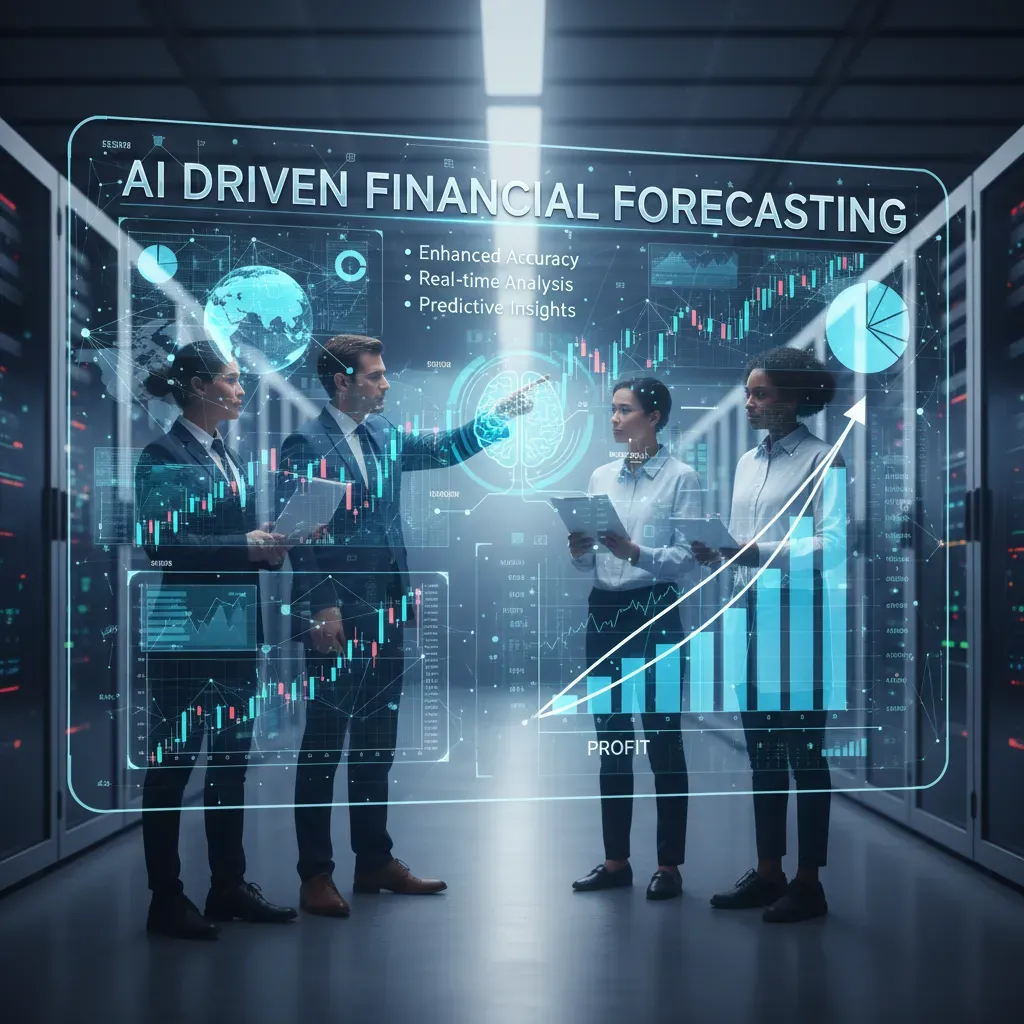
Core AI Models & Machine Learning Algorithms
When I build financial forecasting systems, I usually group models into three buckets: classic time-series methods, supervised machine learning, and deep learning. Each bucket can work well, but they shine in different situations depending on data size, business needs, and how much explanation stakeholders expect.
Time-Series Models: ARIMA and Prophet
ARIMA is a strong baseline when I have a clean historical series and I want a model that is easy to explain. It handles trends and autocorrelation well, but it can struggle when patterns change fast or when I need many external drivers.
Prophet (popular for business forecasting) is often my pick when seasonality matters—like weekly or yearly cycles in revenue. It is also friendly for adding holiday effects and handling missing values.
- Best for: smaller datasets, stable patterns, high interpretability
- Watch out for: limited ability to learn complex nonlinear relationships
Supervised ML: Random Forest and XGBoost
When I can create useful features (lags, rolling averages, calendar flags, pricing changes), supervised ML becomes powerful. Random forest is robust and simple to start with. XGBoost is my go-to when I need top accuracy and can tune carefully. In financial forecasting, these models often win because they learn nonlinear effects without needing huge data.
Feature examples I commonly use:
- Lagged revenue: y(t-1), y(t-7), y(t-30)
- Rolling stats: mean_7d, std_30d
- Calendar: month, quarter, payday, holidays
Deep Learning: LSTM for Sequence Forecasting
LSTM networks can model long sequences and complex patterns, especially when I have lots of history and multiple related signals (traffic, conversions, macro indicators). But deep learning usually needs more data, more compute, and stricter validation to avoid overfitting. It can also be harder to explain to finance teams.
How I Choose: Interpretability vs Data Needs
| Model Type | Interpretability | Data Needed | Typical Use |
| ARIMA / Prophet | High | Low–Medium | Stable revenue trends, seasonality |
| Random Forest / XGBoost | Medium | Medium | Driver-based forecasts with engineered features |
| LSTM | Low | High | Complex sequences, many signals |
Anomaly Detection and Ensembles for Stability
Revenue projections can swing due to one-off events (billing issues, outages, promotions). I often add anomaly detection to flag or down-weight outliers before training. Then I use ensemble methods—for example, averaging Prophet + XGBoost—to reduce volatility and improve stability across months.
Personal aside: the first model I truly trusted was a hybrid approach—seasonal decomposition + XGBoost—because pure deep learning overfit our small dataset and looked great only on paper.

Tools & Platforms: What Teams Actually Use
When I talk with Financial planning teams, I notice a pattern: most of us don’t want “more dashboards.” We want faster forecasting, fewer manual updates, and a clear link between drivers (headcount, pricing, churn) and results. That’s why AI for Financial forecasting is showing up inside planning tools, not just in data science notebooks.
Snapshot of platforms I see in real teams
- Datarails (strong Excel-first workflows, automation, and reporting)
- Workday Adaptive Planning (enterprise planning with solid modeling and controls)
- Anaplan PlanIQ (AI-assisted forecasting on top of Anaplan models)
- Vena Copilot (Excel-based planning with AI help for analysis and narratives)
- Pigment (modern driver-based planning, fast scenario work)
- Fuelfinance (often used by startups for FP&A support and models)
- Drivetrain (planning + KPI tracking with driver focus)
- Hebbia (AI search/analysis across docs; useful for research-heavy finance work)
- Jirav (planning and forecasting for SMB/mid-market)
- SAP Analytics Cloud (planning + analytics for SAP-centered stacks)
Features teams actually care about
In practice, “best tools” are the ones that reduce cycle time. Here are the features I see getting used weekly:
- Conversational AI: ask questions like “What changed in gross margin vs last month?” and get a plain-language answer with links to the numbers.
- Agentic features: the system can suggest drivers to review, flag anomalies, or draft variance commentary for leadership.
- One-click forecasts: quick refresh of the forecast after new actuals land, without rebuilding spreadsheets.
- Scenario modeling: save “Base / Downside / Upside” and switch assumptions (CAC, churn, hiring pace) in seconds.
- Excel integration: still critical. Many Financial teams live in Excel, so tools that sync models and keep audit trails win.
Integration points that enable continuous forecasting
The biggest unlock is automated data flow. When tools connect directly to systems like QuickBooks (GL actuals) and Stripe (revenue, subscriptions), I can refresh actuals daily or weekly and keep a rolling forecast without the usual copy-paste work. This also improves model trust because everyone sees the same source numbers.
When integrations are stable, forecasting becomes a routine update—not a monthly fire drill.
Why we moved from a generic BI tool to Pigment
We originally tried to run forecasting inside a generic BI tool. It was fine for charts, but painful for driver-based planning. Every change (like adjusting ramp time for new hires) turned into custom logic and fragile workarounds. We moved to Pigment because it handled planning logic more naturally: drivers were first-class inputs, scenarios were easy to manage, and collaboration felt closer to how FP&A actually works.
| Need | What I look for in a tool |
| Fast reforecast | One-click forecast + automated actuals load |
| Explainability | Driver-based model + clear variance breakdown |
| Adoption | Excel integration + simple scenario switching |

Integration, Data Practices, and Best Implementation Steps
When I bring AI into financial forecasting, I treat it like any other finance change: I start with a clear business question, connect the right data, and only then worry about the model. The fastest way to get value (and trust) is to integrate AI into the tools my team already uses—ERP, accounting software, BI dashboards, and planning sheets—so forecasts show up where decisions happen.
Start Small: Pilot One KPI, Then Scale
I recommend a pilot with one KPI that has frequent decisions and visible impact. Cash flow forecasting is a strong first choice because it ties directly to liquidity, borrowing, and payment timing. Once the cash flow model is stable, I expand the same approach to revenue and expense forecasting.
- Pick one KPI (e.g., weekly cash balance) and one forecast horizon (e.g., 13 weeks).
- Define success: error range, time saved, and how often the forecast is used.
- Scale carefully: add revenue drivers (pipeline, seasonality) and expense drivers (headcount, vendor cycles).
Data Hygiene: Unify, Clean, and Tag Drivers
AI tools can look impressive, but they cannot fix messy data on their own. Before modeling, I unify ledgers and make sure the historical series is consistent. That means aligning chart of accounts, mapping entities, and standardizing time periods. Then I tag driver variables so the model learns why numbers move, not just that they move.
- Unify ledgers: one source of truth for actuals (ERP/GL), with clear account mappings.
- Clean history: handle missing months, one-time events, and duplicates; document adjustments.
- Tag drivers: price changes, promotions, churn, headcount, FX rates, and payment terms.
| Data Item | Best Practice |
| Actuals (GL) | Lock close dates and track restatements |
| Time series | Consistent granularity (weekly/monthly) and calendar rules |
| Drivers | Store as separate fields, not buried in notes |
Operationalize: Continuous Loops, Reconciliations, and Alerts
To make AI forecasting real, I operationalize it. I set up a continuous forecasting loop where actuals refresh automatically, forecasts rerun on a schedule, and results feed dashboards. I also add automated reconciliations and variance alerts so we catch issues early.
- Continuous forecasting: refresh data, retrain or recalibrate, publish outputs.
- Automated reconciliations: compare forecast vs. actual and flag mapping breaks.
- Variance alerts: notify owners when thresholds are exceeded.
A candid pitfall: ignoring change management is how good tools fail—invest in training and documentation.
I always document assumptions, define who owns each driver, and train users on how to interpret model outputs. Even the best AI tool won’t help if the team doesn’t trust it or know how to act on it.
Case Studies, Risks, and the Road Ahead
Two quick case studies from the field
In my work with financial teams, I’ve seen that AI delivers the biggest wins when it targets a clear bottleneck. One midsize SaaS company struggled with a slow month-end close because reconciliations were manual and spread across systems. They introduced AI-assisted matching that learned common patterns (like recurring vendor names, timing gaps, and partial payments) and flagged exceptions for review. The result was a faster close cycle, fewer late adjustments, and more time for analysis instead of cleanup. What mattered most was not “perfect automation,” but a workflow where humans approved the edge cases and the model improved over time.
In a different example, a retailer faced a sudden demand shock that made last year’s trends useless. They used AI-driven scenario modeling to test multiple demand curves, supply delays, and pricing changes. Instead of betting on one forecast, they planned for several. That helped them protect cash, adjust inventory orders, and avoid over-hiring. For me, this is where AI in financial forecasting shines: it supports decisions under uncertainty, not just neat spreadsheets.
Common risks I watch for
AI forecasting can fail in predictable ways. The first is poor data: missing fields, inconsistent definitions, and messy historical records. If “revenue” means different things across teams, the model will learn confusion. The second is overfitting, where a model looks great on past data but breaks when conditions change. This is common when teams chase accuracy scores without stress-testing unusual periods.
Next is ignored governance. Without clear ownership, access controls, and audit trails, forecasts become hard to trust and harder to defend. Finally, I’m cautious about black-box decisions without explainability. If a model recommends cutting marketing spend or delaying hiring, finance leaders need to know the drivers—what variables moved, what assumptions changed, and how sensitive the outcome is.
Where AI forecasting is heading
Looking ahead, I expect three shifts. First, agentic AI will move from answering questions to taking guided actions—like pulling fresh data, running a forecast, and drafting a variance narrative for review. Second, continuous auditing will become more normal, with models monitoring transactions and controls in near real time, not just at month-end. Third, we’ll see deeper integration with payments and ERP ecosystems, so forecasts update as cash moves, invoices age, and procurement commitments change.
A practical “next step” scenario for a CFO
Imagine I’m a CFO deciding whether to hire ten new roles. Instead of one static plan, I use AI to run ten scenarios: slower sales, higher churn, delayed collections, supplier price increases, and a best-case expansion. In minutes, I can compare cash runway, margin impact, and covenant risk across each path. That doesn’t replace judgment, but it makes my judgment faster and more grounded. That’s the road ahead for financial forecasting: better decisions, made earlier, with clearer trade-offs.
AI improves forecasting accuracy and speed by combining machine learning models with FP&A tools. Choose the right models, integrate clean data, use driver-based and real-time forecasting, and expect up to 60% fewer manual errors with modern platforms like Datarails, Vena, Pigment, Fuelfinance, and Drivetrain.


