
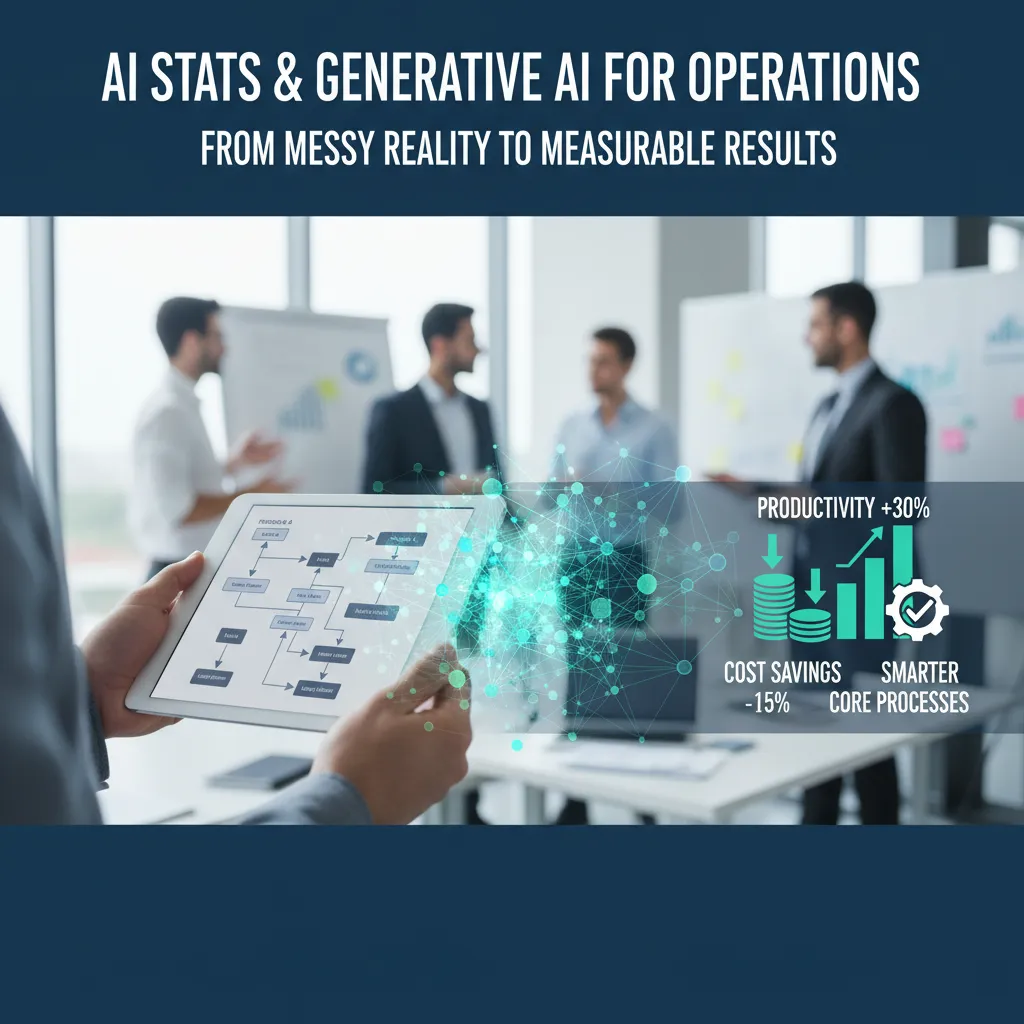
The first time I tried to “add AI” to operations, I did what most of us do under pressure: I bought a shiny tool, gave it a sandbox dataset, and expected magic. Two weeks later, the only thing that improved was my ability to write apologetic status updates. That mini-disaster taught me something useful: AI implementation isn’t a software install—it’s a series of operational choices. In this guide, I’ll walk through how I now approach AI adoption in business operations, from picking the right core processes to measuring operational metrics (and yes, writing an AI policy before things get weird).
1) The “where does AI actually fit?” audit (AI adoption + operational efficiency)
Before I touch a model, a chatbot, or any shiny “generative AI for operations” tool, I do a blunt inventory. I ask: where are we bleeding time? In most ops teams, it’s not one big failure—it’s a thousand small cuts: handoffs between teams, rework from unclear inputs, slow approvals, and customer service queues that grow faster than we can drain them.
My unglamorous scorecard: repeatability + pain + risk
I list the top 10–20 tasks that eat hours every week, then I rank each one using a simple scorecard:
- Repeatability: Does the work follow patterns (same fields, same steps, same decisions)?
- Pain: Is it slow, expensive, error-prone, or a morale killer?
- Risk: What happens if AI gets it wrong—annoying, costly, or regulated?
This keeps AI adoption grounded in operational efficiency, not hype. If a task is high-repeat, high-pain, and low-to-medium risk, it’s usually a strong candidate.
Quick wins + one “deep work” bet
From there, I pick two lanes:
- Quick wins that reduce cycle time fast (often assistive AI, not full automation).
- One deep work bet that touches a core process—without blowing it up. Think: improving the decision flow, data capture, and handoffs, then layering AI on top.
Mini-tangent: if your process is chaos, AI learns chaos faster
I’ve learned this the hard way: if inputs are messy, ownership is unclear, and exceptions are everywhere, AI doesn’t “fix” it. It scales the mess. So I tighten the process first: define the steps, standardize fields, and decide what “done” means.
Example targets I audit first
- Ticket triage in customer service: classify, route, summarize, suggest replies.
- Invoice matching: flag mismatches, extract fields, reduce manual checks.
- Demand forecasting: blend history + drivers, highlight anomalies.
- Maintenance scheduling: predict failures, prioritize work orders, reduce downtime.
“If I had to run this process with half the team for 30 days, what would I automate first?”

2) Data infrastructure reality check (AI implementation starts here)
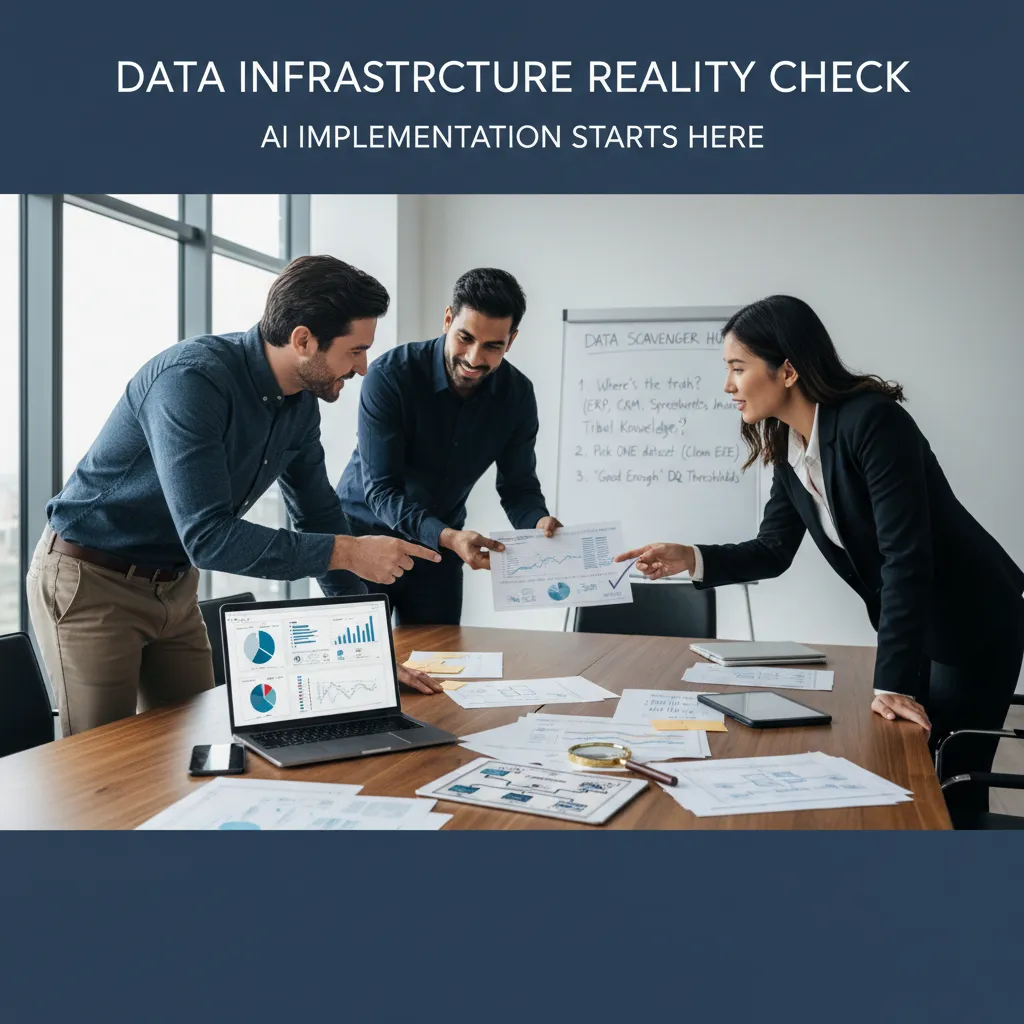
Before I touch AI stats or generative AI for operations, I do a quick data infrastructure reality check. In practice, AI implementation starts here—not with a model, but with the messy question: where does the truth live? If I skip this step, I end up automating confusion.
My “data scavenger hunt”
I run a simple scavenger hunt across the systems and places where operational work actually happens:
- ERP for orders, inventory, and invoices
- CRM for customer details, deals, and support history
- Spreadsheets for “shadow processes” and manual trackers
- Inboxes for approvals, exceptions, and customer promises
- Tribal knowledge (the stuff only two people “just know”)
I’m not judging the mess—I’m mapping it. Generative AI can summarize, draft, and route work, but it still needs a reliable source to pull from.
I pick one dataset and clean it end-to-end
The biggest mistake I see is trying to fix ten datasets halfway. I pick one operational dataset that connects to real outcomes (cycle time, cost, customer experience) and clean it end-to-end. That means consistent fields, clear definitions, and a repeatable refresh process. One “boring” clean dataset beats a dozen half-ready dashboards.
“Good enough” data quality thresholds
I define what good enough means up front, because perfection is a delay tactic. I set thresholds like:
- Completeness: required fields filled (e.g., 95%+)
- Accuracy: spot-check against source documents
- Timeliness: updates within an agreed window (e.g., hourly/daily)
- Consistency: the same status means the same thing everywhere
My rule: if the data supports a decision with confidence, it’s ready to use.
Access rules and masking come early
I set access rules before scaling anything: who can see what, and what gets masked. This matters even more with generative AI, because it can surface sensitive details in plain language. I define roles, limit exports, and mask fields like pricing, personal data, or internal notes.
Example: single source of truth for order status
A practical win is building a single source of truth for order status. When sales, ops, and support all pull from the same status table, people stop “swivel-chair” checking ERP screens, email threads, and spreadsheets. Customers get consistent answers, escalations drop, and AI tools can generate accurate updates like: Order #18422 is packed, awaiting carrier pickup, ETA Thursday.
3) Pick your first use case: process automation vs generative AI (and why I often choose both)
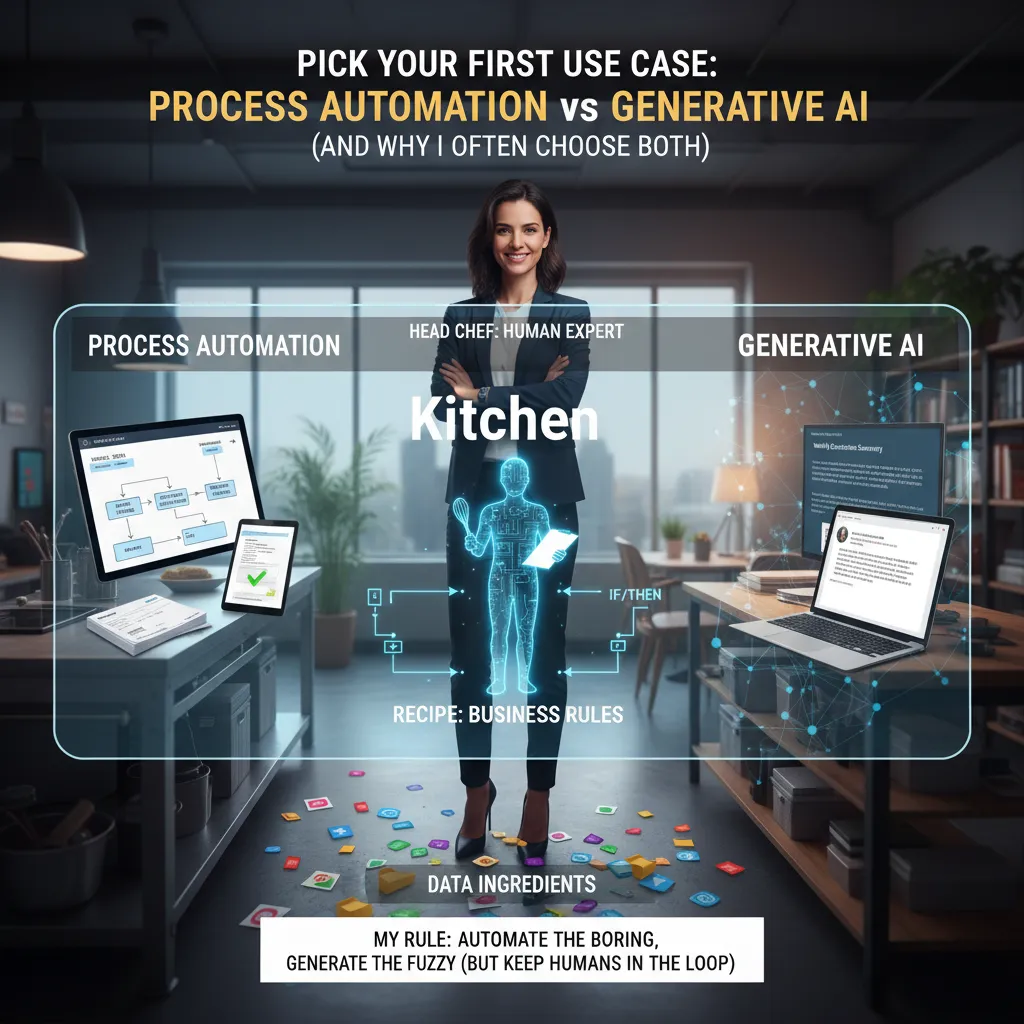
When I’m asked where to start with AI in operations, I use a simple rule: automate the boring, generate the fuzzy—and keep humans in the loop. In the step-by-step approach I follow, the goal is not “AI everywhere.” It’s picking one workflow where AI can reduce cycle time, cut errors, and make the work easier to manage.
Process automation: best for repeatable, rules-based work
Process automation shines when the inputs and decisions are consistent. A classic first use case is invoice processing + approvals. The workflow is predictable: capture invoice data, match it to a PO, check totals, route for approval, and log the outcome.
- What AI does well: extract fields, validate against rules, flag mismatches.
- What humans do: handle exceptions (missing PO, unusual pricing, disputed line items).
This is where “AI stats” matter operationally: you can track straight-through processing rate, exception rate, and average approval time as your core metrics.
Generative AI: best for messy, language-heavy work
Generative AI is my pick when the work is fuzzy—lots of text, context, and judgment. Two practical examples: drafting vendor emails (late shipment, missing documents, payment questions) and summarizing exceptions for an approver who doesn’t want to read a full thread.
I treat generative AI like a strong assistant: it speeds up the first draft, but it doesn’t own the final decision.
How I design the workflow (like a kitchen)
I build the system like a kitchen:
- Ingredients (data): invoices, POs, policies, vendor history.
- Recipe (rules): approval limits, matching logic, compliance checks.
- Sous-chef (AI): automation + generative drafts and summaries.
- Head chef (human): approves, overrides, and improves the recipe.
Guardrails I always set
- Confidence thresholds: low-confidence extraction or classification triggers review.
- Escalation paths: clear routing for exceptions (AP lead, procurement, finance).
- “No-go” tasks: AI doesn’t approve payments, change bank details, or send final legal language.
Quick story: one day a bot answered a customer with the right policy but the wrong tone. The facts were correct, but the message felt cold—and the customer escalated. That’s when I learned service quality is an operational metric too.
4) Pilot like a pragmatist: operational metrics, workforce impact, and the “two-week wobble”
When I pilot generative AI for operations, I treat it like an operations experiment, not a demo. I time-box pilots to 4–8 weeks so we learn fast and avoid “forever pilots.” Before we start, I write down what success means in numbers, not vibes. If we can’t measure it, we can’t manage it.
Define success with daily operational metrics
During the pilot, I track a small set of metrics every day. This keeps the team focused on real outcomes, not just “the AI sounds smart.” Here’s what I watch most often in AI stats & generative AI for operations:
- Throughput (units/tickets/orders completed per day)
- Cycle time (start-to-finish time per work item)
- Error rate (rework, misroutes, wrong answers, defects)
- SLA hits (on-time completion and breach rate)
- Customer satisfaction proxy (refunds, escalations, repeat contacts)
I also log AI-specific signals like human override rate and time-to-approve when the AI drafts responses or recommends actions. These help me see whether the tool is truly reducing effort.
Plan workforce impact upfront (before the pilot surprises you)
Operational AI changes work. So I map workforce impact early:
- Tasks that disappear (copy/paste, basic triage, first drafts)
- Tasks that change (reviewing, exception handling, coaching the model)
- Training needed (prompting basics, QA checks, escalation rules)
I’m clear that the goal is better flow and fewer errors, not confusion. People need simple rules for when to trust the AI and when to stop and ask.
Expect the “two-week wobble”
I warn teams about a common pattern: the two-week wobble. Performance often dips around week two because humans and AI are learning each other. The AI needs feedback, and the team needs new habits. I treat that dip as data, not failure, and I keep the pilot guardrails tight.
Run the 24-hour outage test
I always ask a practical question: if the model is down for 24 hours, can we revert without panic? I document a fallback process (manual steps, queues, owners) and test it once. If we can’t roll back cleanly, the pilot isn’t ready for real operations.
5) Scale without chaos: AI policy, AI investment, and governance that doesn’t kill momentum
When I move from a single generative AI pilot to real operations use, I write an AI policy earlier than feels necessary—because it becomes necessary overnight. The first time someone asks, “Can we use customer data in this prompt?” or “Who approved this model change?” you either have a clear answer or you have chaos. My policy stays simple: what data is allowed, what tools are approved, how we document prompts and outputs, and what “good enough” looks like for safety and quality.
Standardize the basics (so scaling is repeatable)
I don’t try to govern everything. I standardize the few things that keep AI reliable in production:
- Model evaluation: a small test set, clear metrics (accuracy, time saved, error rate), and human review rules.
- Monitoring: drift checks, output quality sampling, and cost tracking for tokens/usage.
- Incident response: what to do if the model leaks data, gives unsafe advice, or breaks a workflow.
- Approval gates: lightweight sign-off for prompt changes, model swaps, and new data sources.
In practice, I treat AI changes like any operational change: documented, reviewed, and reversible. If we can roll back a deployment, we can roll back a prompt.
Budget like an operations program, not a one-off tool
AI investment isn’t just “buy a model.” I budget it like a real operations program:
- Data: cleaning, access, labeling, and retention rules.
- Training: onboarding for users, plus deeper training for owners.
- Support: help desk, playbooks, and time for iteration.
- Security: vendor reviews, access controls, and audit logs.
Build a small AI enablement bench
I keep the team small but complete: an ops lead, a data/ML partner, IT/security, and one business sponsor who can unblock decisions. This group sets standards once, then helps teams reuse them across workflows like forecasting, ticket triage, and document processing.
Personal opinion: if no one owns the workflow after launch, the AI will quietly rot (like that dashboard from 2019).
So I assign a named owner, a monthly review, and a simple scorecard. Governance should protect momentum—not smother it.
6) The payoff (and the part people skip): linking AI to business growth
When I pitch an AI project in operations, I connect it to business growth the same way I’d connect a new warehouse: revenue, margin, speed, and service quality. If I can’t explain how a model improves one of those four, I treat it like a science project—not an operations investment. This mindset comes straight from the “implement AI in operations” approach: start with the workflow, measure the baseline, and only then add automation or generative AI where it removes real friction.
Turning models into money
In practice, I translate “AI stats” into outcomes finance cares about. That usually means cost savings (less overtime, fewer expedited shipments), productivity increases (more orders processed per planner), fewer errors (lower returns and rework), and a faster cash cycle (quicker invoicing, fewer disputes). Generative AI for operations can help here, but only when it is tied to a specific step—like drafting exception notes, summarizing supplier emails, or creating first-pass work instructions—so people move faster without losing control.
The “benefits ledger” that makes it real
The part people skip is tracking value after launch. I keep a simple benefits ledger. It’s slightly boring, and it’s incredibly persuasive to finance. Every month, I log what changed, how we measured it, and what it’s worth. If the AI reduced picking errors, I don’t just say “accuracy improved.” I estimate the avoided cost of returns, reships, and support time. If it sped up planning, I connect that time saved to throughput or reduced backlog. This is how AI in operations becomes a repeatable growth engine instead of a one-off demo.
If I can’t show the link from model output to revenue, margin, speed, or service quality, I’m not done.
Zooming out, there’s a bigger reason this matters: AI is expected to boost GDP by up to 26% for local economies by 2030. That’s a headline number, but it helps frame why leaders are paying attention—and why operations teams should be ready with clear, measurable wins.
My closing reflection is simple: AI trends change fast; good operations disciplines don’t. If I keep the process tight, the metrics honest, and the benefits ledger current, the growth story writes itself.
TL;DR: Implementing AI in operations works when you treat it like process improvement: pick high-friction workflows, fix data plumbing, pilot fast, measure operational metrics, and scale with an AI policy. Use generative AI where it truly fits (support, knowledge work), automate where ROI is clear, and plan for workforce impact.


