The first time I “automated” a job, it was embarrassingly small: a clunky spreadsheet macro that saved me maybe seven minutes a day—until it broke on a Monday morning and I had to explain to my boss why the numbers looked haunted. That little fiasco taught me two things: automation is never just technical, and the best wins are the boring ones you can repeat.
So here’s my take on “39 automation tips every professional should know”—not as a rigid checklist, but as a field notebook for 2026: what I’d automate, what I’d leave alone (for now), and how I’d keep humans in the loop without slowing everything to a crawl.
1) The “39 Tips” Mindset: Automate Like a Grown-Up
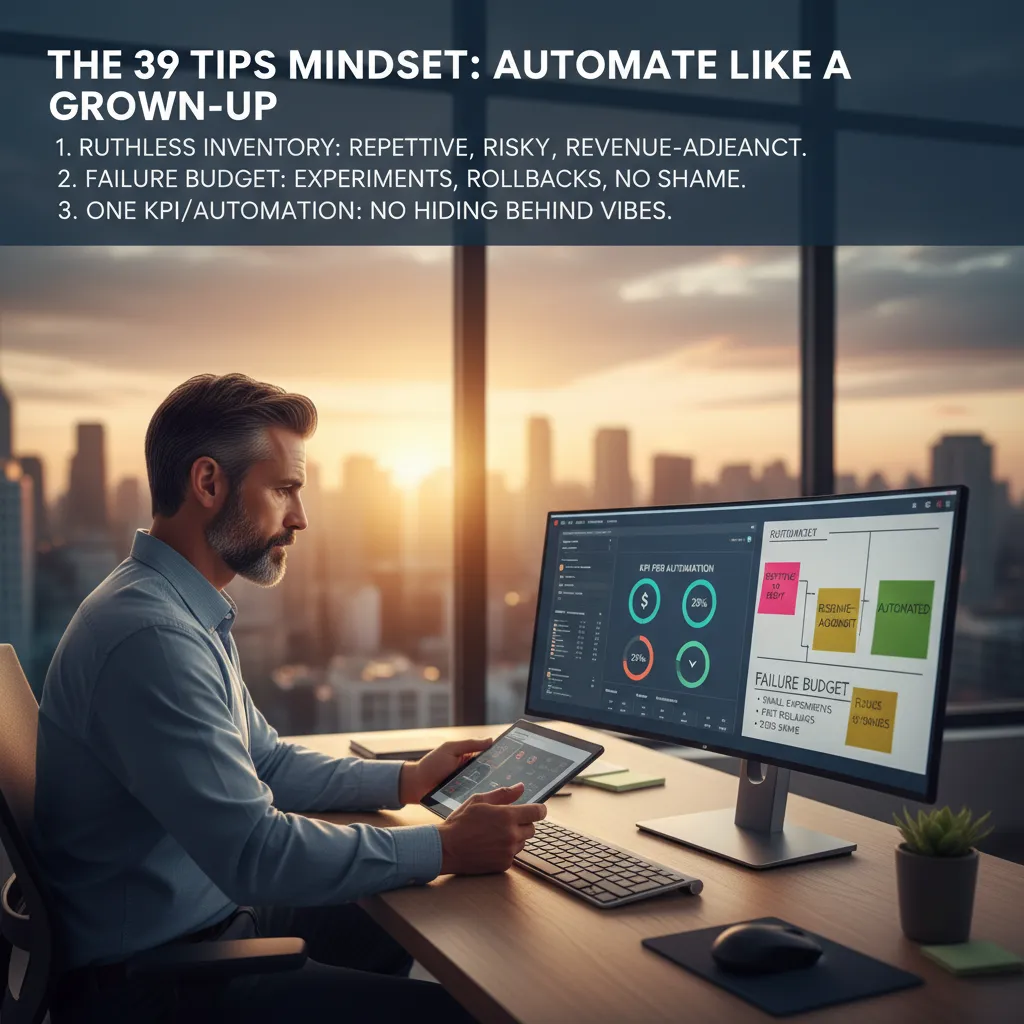
When I say I’m using my 39 tips playbook, I’m not talking about random hacks. I’m talking about a mindset: adult automation that saves time, reduces errors, and supports real business goals. Before I touch a tool, I start with a ruthless inventory.
Start with a ruthless inventory
I list every workflow and ask three blunt questions: What’s repetitive? What’s risky? What’s revenue-adjacent? Repetitive tasks are the easy wins. Risky tasks are where mistakes cost money or trust. Revenue-adjacent tasks are the ones that speed up sales, billing, onboarding, or retention. That’s where automation trends in 2026 are heading: less “cool,” more “useful.”
- Repetitive: copy/paste reporting, follow-up emails, file naming
- Risky: approvals, data entry, compliance steps
- Revenue-adjacent: lead routing, quote creation, renewal reminders
Keep a “failure budget”
I also keep a failure budget: small experiments, fast rollbacks, and zero shame. If an automation breaks, I want it to fail small and fail early. I’ll test with a limited dataset, a single team, or a short time window. If it doesn’t work, I revert and learn—no drama.
“If you can’t roll it back fast, you’re not experimenting—you’re gambling.”
One KPI per automation (yes, just one)
For each automation, I pick one KPI so the project can’t hide behind vibes. Example: “reduce ticket response time by 20%” or “cut invoice errors to under 1%.”
KPI = one number I can check weekly
Wild-card analogy: meal prep
Automation is like meal prep: one Sunday saves you all week—unless you label nothing and eat mystery containers. Clear names, clear owners, clear metrics. That’s the grown-up part.
2) AI Native Supply: Task Specific AI That Actually Helps
In 2026, I stopped chasing the fantasy of “one AI to rule them all”. It sounds efficient, but in real workflows it creates messy prompts, mixed permissions, and unclear ownership. Instead, I build an AI native supply: small, task specific AI tools that do narrow jobs well—like triage, classification, and summarizing—then hand off clean outputs to the next step.
Deploy narrow AI for narrow work
I treat each AI like a specialist, not a general manager. My most useful “micro-agents” handle:
- Triage: route requests to the right queue and set priority
- Classification: tag tickets, emails, or docs with consistent labels
- Summarizing: turn long threads into action items and decisions
Guardrails like I’m future-me’s lawyer
Every task specific AI gets written guardrails before it touches real work. I keep them simple and strict:
- Data boundaries: what it can and cannot see (and store)
- Approval steps: when a human must review before sending or publishing
- Audit logs: who ran it, what it changed, and why
I literally paste rules into a shared doc and into the system prompt, so the behavior is repeatable.
“The first time an AI drafted an SOP for my team, it was 80% right—and 100% confident.”
That moment changed my setup. Now, any SOP, policy, or customer-facing message requires a mandatory human sign-off.
My usefulness test: before vs after
I don’t judge AI by how smart it sounds. I measure:
- Time-to-decision
- Error rate
- Number of escalations
If those three don’t improve, the AI doesn’t stay—no matter how impressive the demo looks.
3) Autonomous Logistics: Warehouse Automation Without the Hype
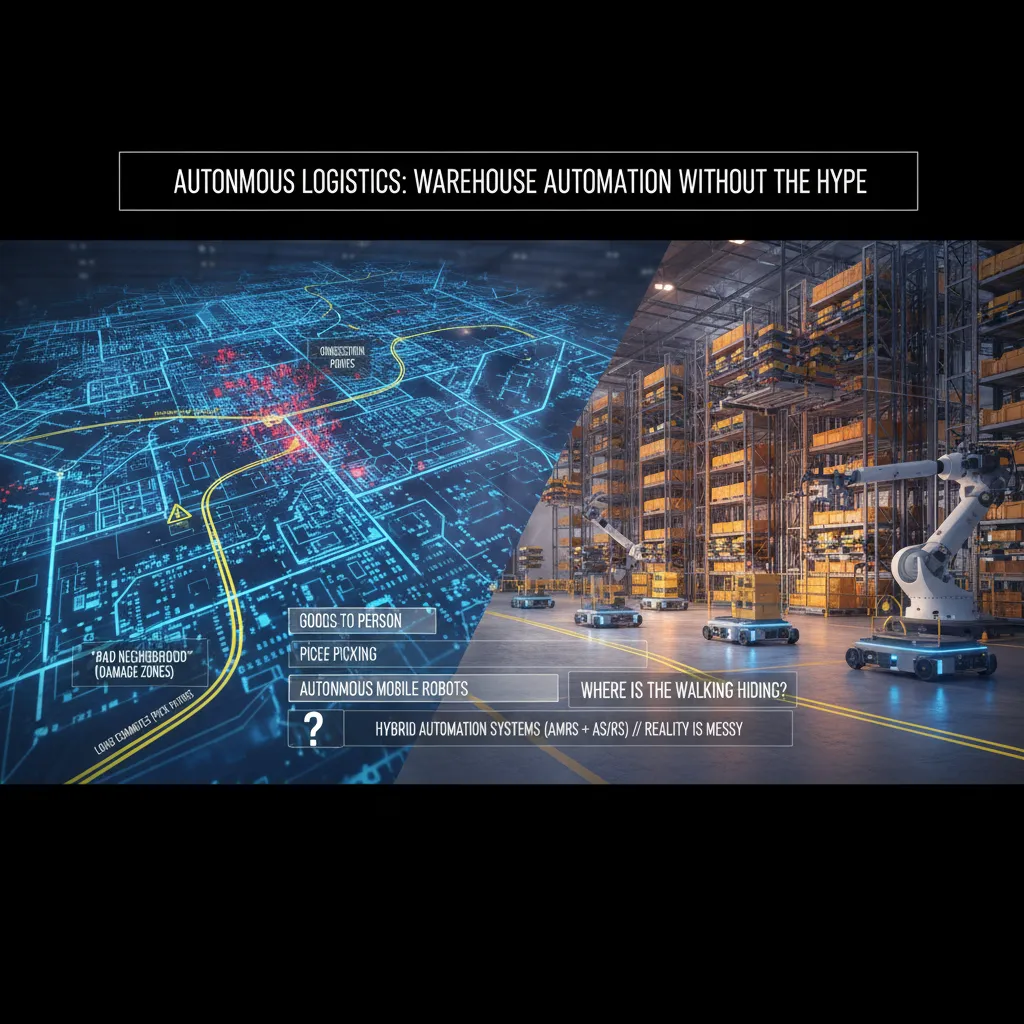
When I evaluate warehouse automation, I start by mapping the building like a city. I mark congestion points (where carts and people bunch up), “bad neighborhoods” (damage zones near docks, tight turns, or fragile storage), and long commutes (pick paths that burn time). This simple map keeps me honest: most “autonomous logistics” wins come from fixing traffic, not buying shiny robots.
My first question: where is the walking hiding?
I choose between Goods To Person, piece picking, and Autonomous Mobile Robots (AMRs) by asking one question: where is the walking hiding? If the team walks miles to reach slow-moving SKUs, I look at Goods To Person. If the pain is in small, frequent picks, piece picking tools and better pick-to-light flows can beat bigger systems. If travel is spread across many aisles and changes by season, AMRs often fit because they flex with demand.
- Goods To Person: best when travel dominates and inventory can be organized for it.
- Piece picking: best when accuracy and speed on small items are the bottleneck.
- AMRs: best when routes change and you need scalable warehouse automation.
Why I prefer hybrid automation in real warehouses
I like Hybrid Automation Systems (AMRs + AS/RS systems) because reality is messy. Fixed automation alone can be brittle when SKU sizes change, packaging shifts, or inbound is late. A hybrid setup lets AS/RS handle dense storage while AMRs absorb the chaos around replenishment, exceptions, and peak volume.
Informal aside: if your automation plan ignores battery charging and floor tape, it’s not a plan—it’s a slide deck.
I always check charging locations, Wi‑Fi dead spots, floor condition, tape/markers, and how exceptions get handled. That’s where autonomous warehouse automation succeeds or fails.

4) Smart Factories + Predictive Maintenance: My ‘Boring’ Favorite
Smart factories sound flashy, but my favorite part is the “boring” work: predictive maintenance. It’s boring because it’s repeatable, measurable, and tied to real money. When it’s done right, it quietly removes chaos from the plant floor.
Start where downtime hurts and signals are clean
I don’t begin with the weirdest asset in the building. I start predictive maintenance where downtime is expensive and the signals are clean: motors, conveyors, and compressors. These systems usually give you stable data like vibration, temperature, current draw, and run time. That makes early wins more likely, which matters for any automation trend in 2026.
Build trust by showing the “why,” not just the alert
Maintenance teams don’t need another red light. I build trust by showing the pattern behind the alert: what changed, when it changed, and how it compares to normal. A simple chart often beats a fancy model.
- Baseline: what “healthy” looks like for that asset
- Drift: the slow change that hints at wear
- Trigger: the threshold and the reason it exists
Keep Controls Engineers in the loop early
I pull in Controls Engineers early because they’re the translators between sensors and reality. They know which tags lie, which sensors are noisy, and which “fault” is just a normal startup sequence. If you skip them, your predictive maintenance system becomes a false-alarm machine.
Tiny tangent: context beats cleverness
I once watched a dashboard scream “critical” for a machine that was unplugged.
The model was “right” about the signal, but wrong about the situation. Now I always add context checks like power_state, run_command, and maintenance_mode before I let an alert wake anyone up.
5) Robotics as a Service (RaaS): Scaling Without the Big Bang
In my 2026 automation playbook, I treat Robotics as a Service (RaaS) like leasing a car: it’s great for speed, cash flow, and upgrades, but it’s dangerous if I ignore the fine print. RaaS can help me scale automation without a huge upfront “big bang” purchase, especially when demand is uncertain.
The blunt vendor questions I ask
I don’t let demos distract me. I ask direct questions and I want answers in writing:
- Uptime SLA: What % is guaranteed, and what are the credits if they miss it?
- Maintenance response time: Is it 4 hours, next day, or “best effort”?
- Spare parts: Who stocks them, where, and what’s the typical lead time?
- Fleet updates: How do they test updates before pushing them to my robots?
Implementation reality (the part people skip)
RaaS still needs real people to make it work. I plan roles early so rollout doesn’t stall:
- Implementation Engineers for deployment, training, and go-live support.
- Controls Engineers for integration with conveyors, PLCs, WMS/ERP, and safety.
- Operators for day-one usability, exception handling, and feedback loops.
My wild-card scenario: the subscription cap
Imagine peak season hits and your robot subscription cap is… a spreadsheet cell.
I’ve seen “capacity” become a contract limit, not a technical limit. So I build escalation clauses before signing: pre-priced extra units, guaranteed delivery windows, and a clear process for temporary surge capacity. If the vendor can’t commit, I treat that as a risk, not a detail.
6) Workforce Trends 2026: Blue Collar Jobs, White Collar Roles, and Reskilling Workers
From “job loss” to job change
I’ve stopped framing automation as job loss and started framing it as job change. It’s still scary, but it’s more actionable. When I say “change,” I can plan: what tasks will shrink, what tasks will grow, and what new work will appear around the tools.
Where I see work growing (and shrinking)
In my 2026 automation watchlist, I track demand, not headlines. I’m seeing a surge in blue collar jobs that are hard to fully automate: field service, skilled trades, maintenance, logistics, and on-site installation. At the same time, some white collar roles feel pressure as routine knowledge tasks get automated—especially analysts and paralegals doing repeatable research, summarizing, and document prep.
- Blue collar trend: more tech-enabled work (sensors, tablets, checklists), not “no humans.”
- White collar trend: fewer hours on drafts and first passes; more focus on review, judgment, and client-facing work.
My reskilling plan (not motivational posters)
I don’t rely on “learn AI” slogans. I build a reskilling plan that shows up on my calendar and in my team’s workflow.
- Time-blocked practice: 2–3 sessions per week for real tasks.
- Mentors: one internal “power user” and one external peer group.
- Skill ladders: clear steps from beginner to reviewer to builder.
The awkward reality: AI-forced employees
People feel pressured to use AI at work (72% per PwC). I normalize “how to use it” training, and I also give explicit permission to say when it’s wrong.
“Use the tool, but don’t outsource your judgment.”
I teach a simple rule: Draft with AI → Verify with sources → Own the final call.
7) Agentic AI Systems: When Automations Start Talking to Each Other
In my Automation Trends 2026 playbook, agentic AI systems are where automation stops being a single workflow and starts acting like a small org. I treat agentic workflows like a team of interns: amazing at parallel work, but dangerous without supervision. They can research, draft, classify, and trigger actions at the same time—but they can also misunderstand context and confidently do the wrong thing.
How I design multi-agent collaboration
I don’t “let agents figure it out.” I design Multi Agent Collaboration explicitly: who does research, who checks, who executes, and who escalates. That structure keeps speed without losing control.
- Research agent: gathers sources, notes assumptions, flags unknowns
- Checker agent: validates facts, compares against policy, looks for edge cases
- Executor agent: runs approved steps (tickets, emails, updates, API calls)
- Escalation agent: routes to me when confidence is low or risk is high
Hybrid systems win in the real world
I keep hybrid systems in mind: humans + agents + traditional automation, each doing what they’re good at. Agents handle messy language and decisions. Traditional automation handles repeatable rules. Humans handle judgment, approvals, and exceptions.
My rule: agents can recommend and prepare; they only execute when guardrails are clear.
Practical tip: log decisions like a black box
When agentic automation fails, it fails loudly. So I log every agent decision like it’s a black box on a plane: inputs, tools used, prompts, outputs, confidence, and final action.
log = {agent:"checker", input:"invoice_4821", decision:"hold", reason:"mismatch", confidence:0.62}
Conclusion: My Rule for Less Labor Automation (Without Losing the Plot)
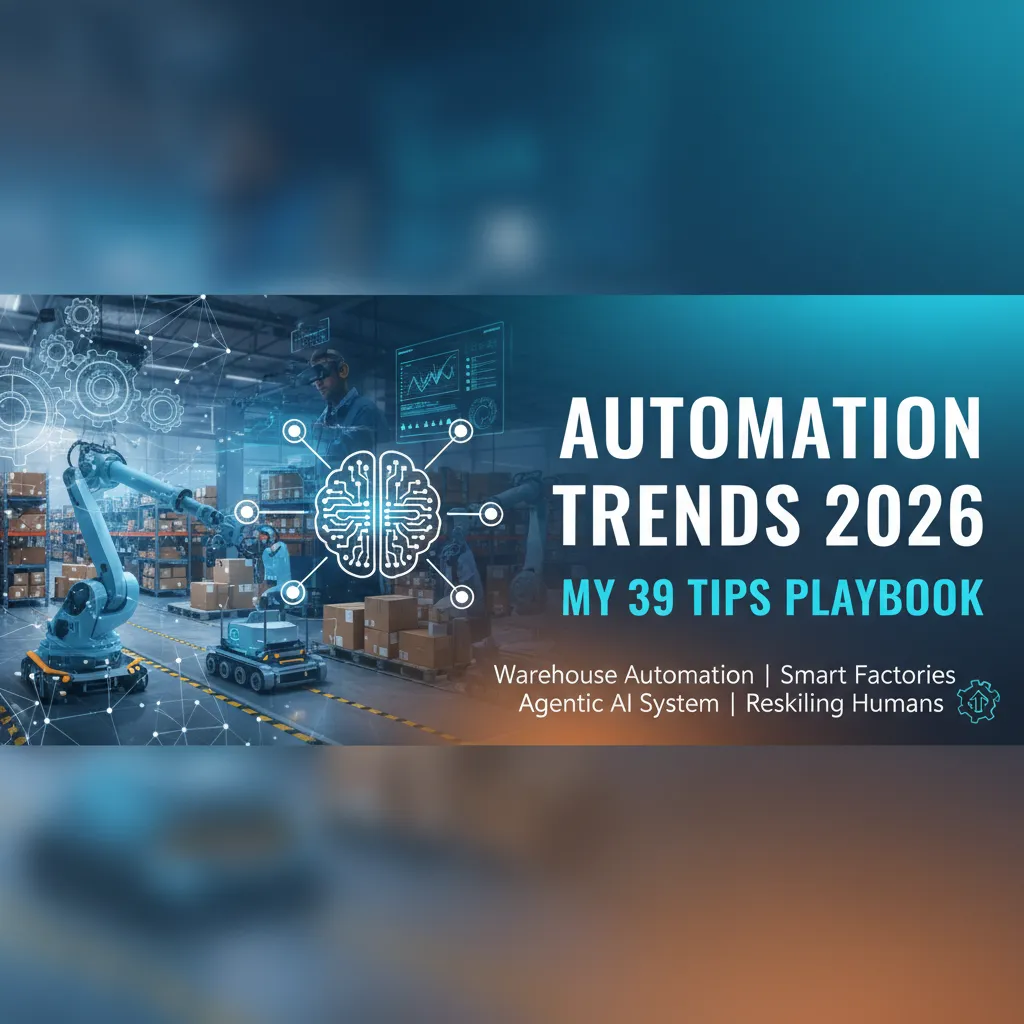
I end this “Automation Trends 2026: My 39 Tips Playbook” the same way I run it: like a living list, not a poster on the wall. Every quarter, I circle back to the 39 automation tips and I force a trade. I delete three tips that no longer fit the work, the tools, or the team. Then I add three new ones I learned the hard way—usually after a rollout that looked great in a demo and messy in real life. That rhythm keeps the playbook honest, and it keeps me from automating yesterday’s problems.
My rule for Less Labor Automation is simple: I automate to protect people from drudgery and injury, not to erase expertise. If a workflow removes heavy lifting, repetitive scanning, or unsafe steps, I’m interested. If it removes judgment, craft, and the “I can spot that issue in two seconds” skill, I slow down. In 2026, the best systems don’t replace pros—they amplify them.
I also keep one foot in Tech Trends 2026 and one foot on the warehouse floor. I can love the dashboard, the model, and the integration, but if operators hate it, it fails. I’ve learned to treat frontline feedback like a hard requirement, not a nice-to-have. If the new process adds clicks, hides context, or breaks the pace of work, it will be bypassed—quietly at first, then loudly.
Automation wins when it makes the job safer, smoother, and easier to do right.
My wild-card image is a relay race. Humans hand off to machines and back again. The goal is not a solo sprint by software; it’s a smooth baton pass—clear triggers, clean data, and a human-ready moment to step in. That’s how I keep the plot: automate the handoffs, respect the runners.
TL;DR: Automation in 2026 is less about flashy robots and more about repeatable systems: task specific AI, agentic AI systems, hybrid automation (AMRs + AS/RS), predictive maintenance, and reskilling workers—measured with simple KPIs.