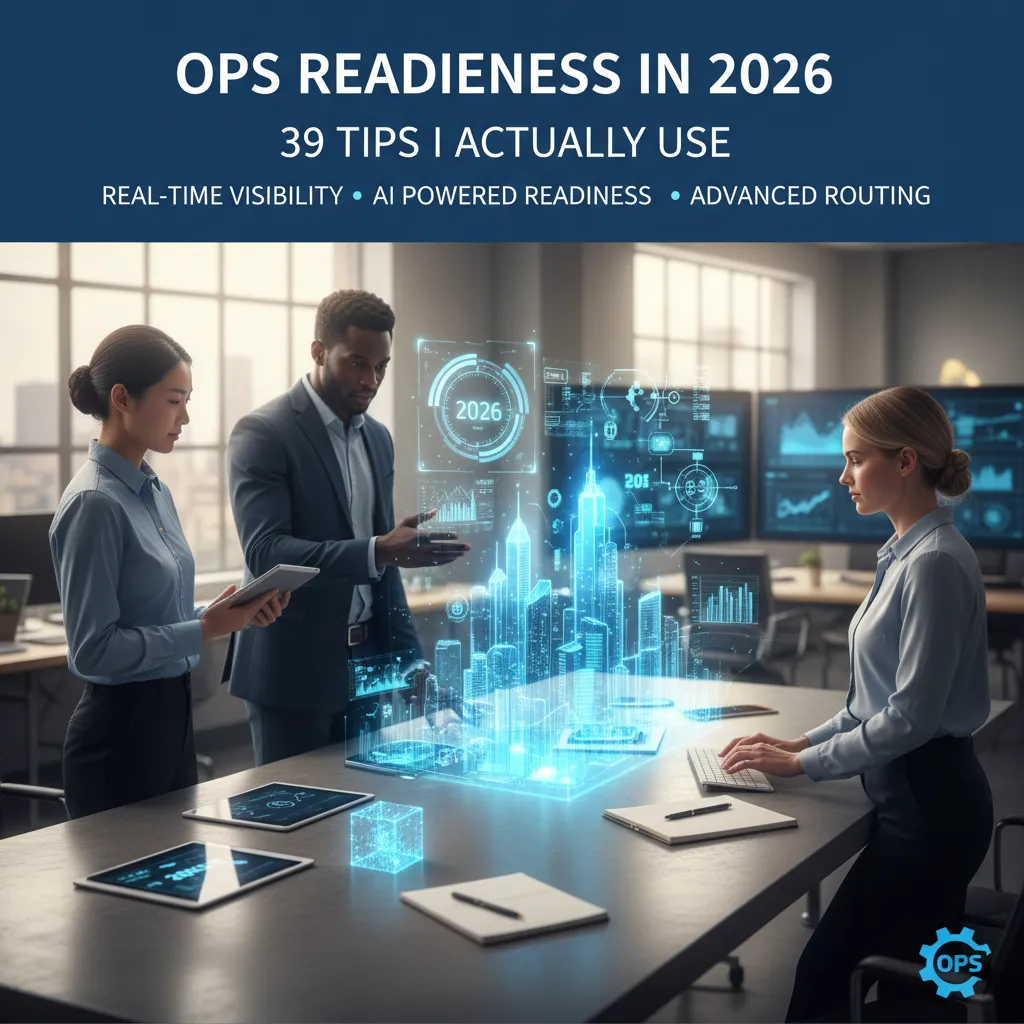
The first time I realized operations wasn’t about “working harder” was the day our warehouse ran out of shipping labels… while the dashboard said we were fully stocked. I remember staring at a pallet of perfectly good boxes and thinking: we don’t have a labor problem, we have a truth problem. Since then, I’ve collected a grab bag of rules-of-thumb—39-ish tips I return to when things get loud. This post is my attempt to turn those tips into something you can actually use on a Tuesday: a checklist, a few mini-templates, and a couple of hard-won opinions (I’ll admit one of them is slightly unpopular).
1) My “39 tips” bucketed into 5 trade-offs (Cost, Quality, Speed, Sanity, Sustainability)
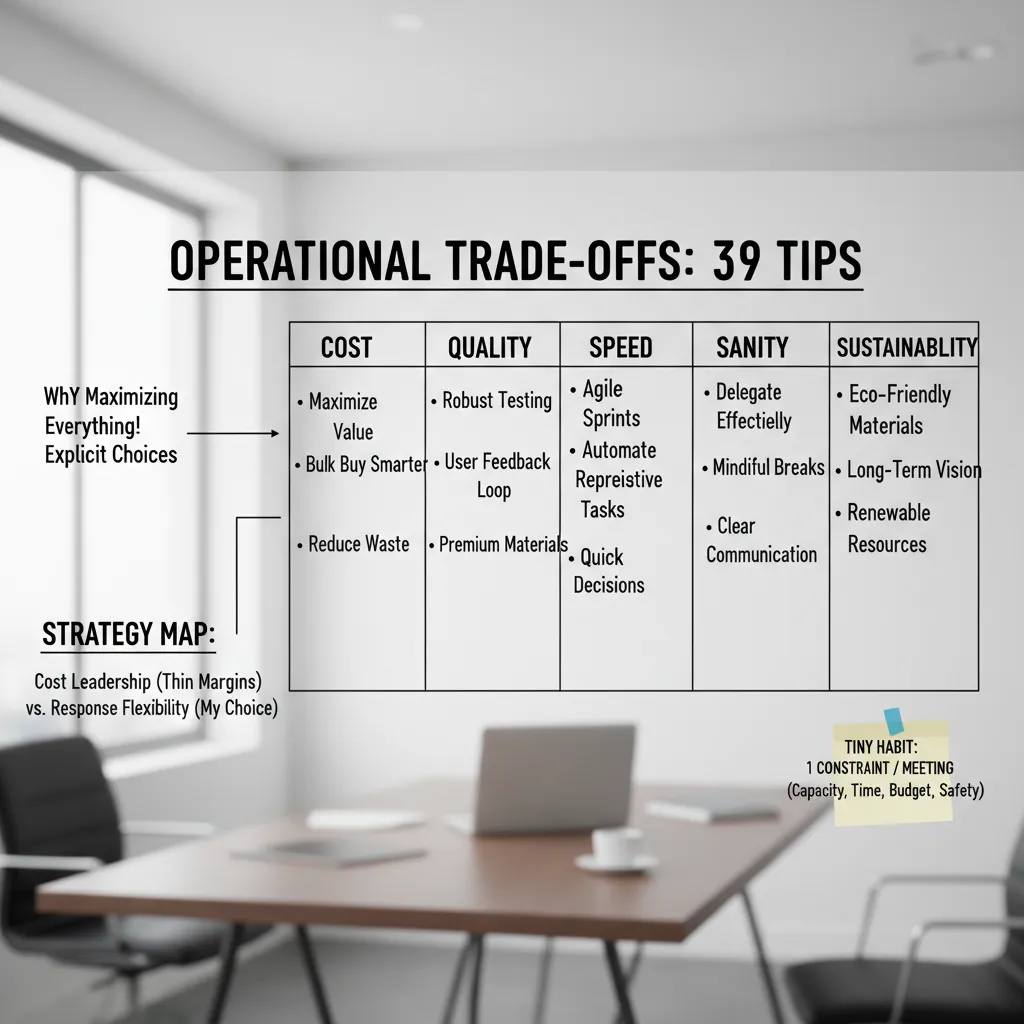
I treat operations as a set of explicit trade-offs because I’ve learned the hard way that we can’t maximize everything at once. When I try, I get hidden work, unclear owners, and “urgent” fires that were predictable. So I bucket my 39 operations tips into five lenses: Cost (spend less), Quality (reduce defects), Speed (shorten cycle time), Sanity (protect focus and people), and Sustainability (keep it working next quarter, not just today).
A quick map: cost leadership vs response flexibility
When margins are thin, I lean into a Cost Leadership Strategy: standard work, fewer variants, tighter purchasing, and simple metrics. But I still keep a response flexibility foundation—cross-training, clear escalation paths, and small buffers—so we can absorb surprises without chaos. In practice, that means I’ll cut “nice-to-have” options before I cut safety checks or training.
The tiny habit that changed my week
Before every meeting, I write one constraint at the top of my notes. I pick only one:
- Capacity (who can actually do the work?)
- Time window (what must be true by when?)
- Budget (what can we spend, all-in?)
- Safety (what can’t we risk?)
This forces the group to stop pretending we have unlimited resources.
Wild-card analogy: cooking for 40
Operations is like cooking for 40 people: timing beats talent, and the oven is always the bottleneck. You don’t win by making one perfect dish; you win by sequencing, staging, and keeping the oven fed. That’s how I think about WIP limits, handoffs, and throughput.
Mini-exercise: stop 3 tips to gain agility
- Stop one report nobody uses.
- Stop one approval step that adds days, not safety.
- Stop one “custom” option that creates rework.
Then reassign that time to the constraint you wrote down.
2) Assessment Diagnostic Audit: finding the leaks before buying new tools
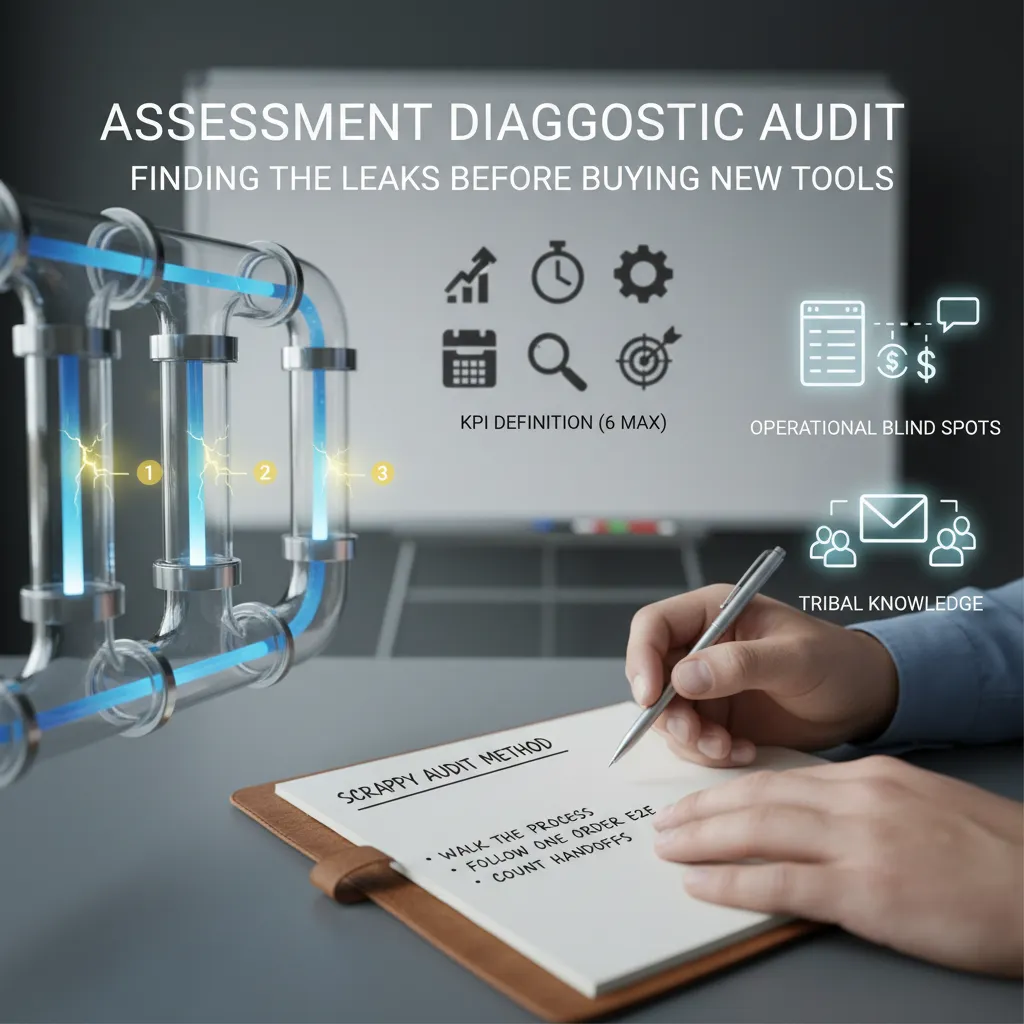
Before I buy a new tool, I run a quick assessment diagnostic audit. Most “tool problems” are really process leaks. My goal is simple: find where work slows down, gets re-done, or disappears.
My scrappy audit method
I do three things, in this order:
- Walk the process with the people who do the work (not just the manager view).
- Follow one order end-to-end (one ticket, one customer request, one invoice) and write down every step.
- Count handoffs—every time work moves from one person, team, or system to another.
Handoffs are where delays, missing info, and “I thought you had it” live. If I see more than 6–8 handoffs for a simple flow, I know we have a leak.
Spotting operational blind spots
I look for the places where work hides:
- Spreadsheets that act like a shadow database
- Inbox workflows (requests trapped in email threads)
- Tribal knowledge (“Ask Sam, she knows the trick”)
These aren’t “bad.” They’re signals that the official process is missing a step, a rule, or an owner.
KPIs that don’t make people roll their eyes
I start with six KPIs max, tied to real pain:
- Cycle time
- On-time delivery
- First-pass quality (rework rate)
- Backlog size
- Handoff count
- Escalations
If a KPI needs a long speech to explain, I drop it.
Anecdote: the “phantom backlog”
One team swore we had a huge backlog. After the audit, we learned half the items were “almost done” but not marked complete. We defined done the same way for everyone (clear acceptance checks), and the backlog “vanished” in a week.
My 60-minute documentation checklist
- Inputs: what starts the work, required fields
- Outputs: what “done” produces
- Owners: one name per step
- Failure modes: top 3 ways it breaks
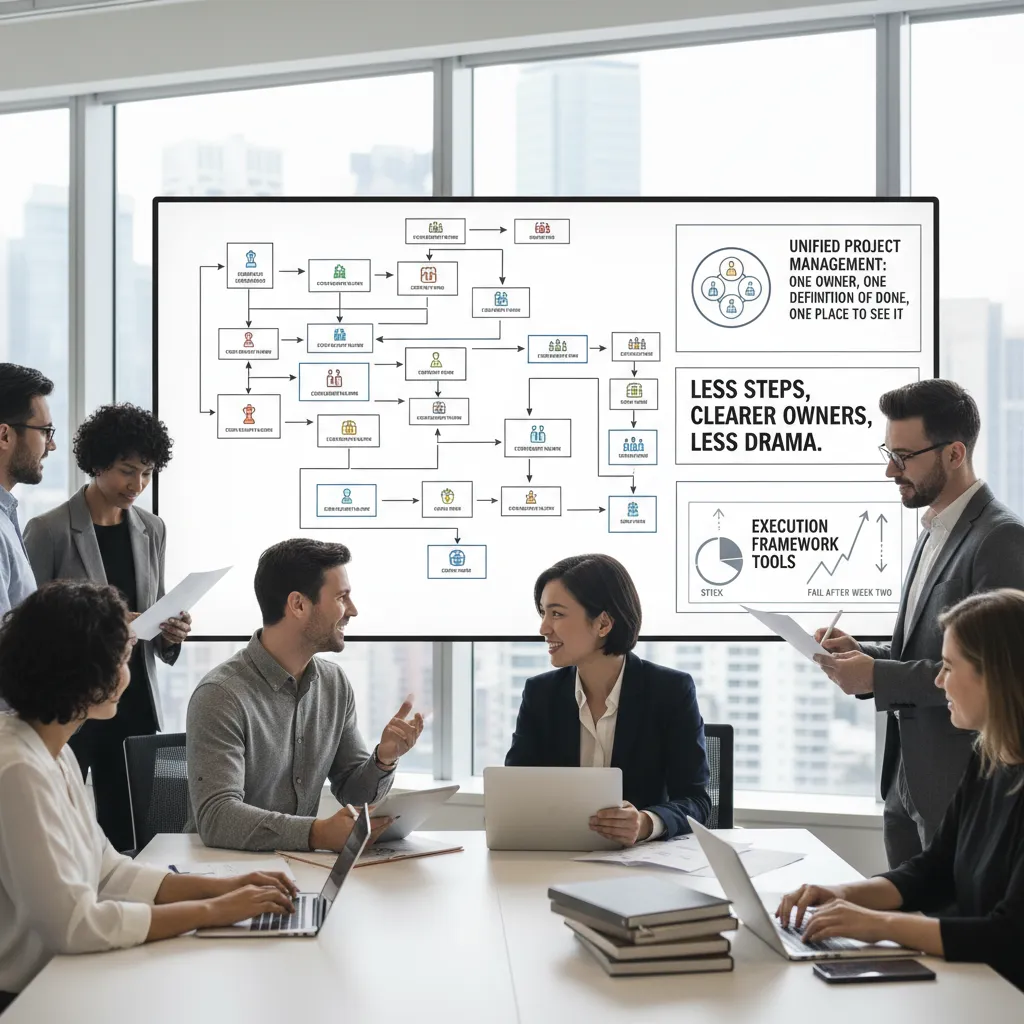
3) Process Redesign Build: fewer steps, clearer owners, less drama
Redesign without burning goodwill
When I redesign a process, I don’t start with a slide deck. I start with the people who live in it. I ask them to map the current flow in plain steps, then we mark the pain points: rework, waiting, missing info, and “who owns this?” gaps. Co-creating the new flow keeps trust intact and surfaces the real constraints (like shift changes, system limits, or safety rules) that outsiders miss.
Unified Project Management for clean handoffs
My handoff rule is simple and strict: one owner, one definition of done, one place to see it. If any of those are missing, the handoff becomes drama.
- One owner: a named person, not a team.
- One definition of done: a checklist, not “should be fine.”
- One place to see it: one board or system of record.
“If it’s in two tools, it’s in zero tools.”
Execution tools that actually stick (and why some fail)
I’ve seen lightweight tools win: a shared Kanban board, a daily 10-minute huddle, and a weekly retro with one action item per team. Tools fail after week two when they add work without removing work. If the board becomes “extra reporting,” people stop updating it. I keep it alive by tying it to decisions: staffing, priorities, and blockers.
The two-pizza standup (yes, even on a dock)
I stole the two-pizza standup idea from software: keep the group small enough that two pizzas could feed them. On a dock crew, that meant one lead from receiving, one from staging, one from dispatch, plus safety. We stand up, look at today’s constraints, and leave with three outputs:
- Top priority load
- Top blocker + owner
- Any handoff changes
A slightly nerdy aside: queue time beats task time
Most delays aren’t from slow work; they’re from waiting. Queue time (items sitting) usually dwarfs task time (hands-on work). For scheduling, this means I’d rather reduce WIP than “speed up” a step. I cap in-progress work and schedule around bottlenecks, not optimism.
4) Technology Selection Integration: the boring part that decides everything
In ops readiness, tech selection feels like paperwork. But it decides whether your team runs on facts or on guesswork. My first filter is simple: does this tool create a Single Source of Truth, or just another login? If it adds a new place to “check,” it usually adds a new place for errors to hide.
My litmus test: Single Source of Truth vs. another login
I look for one system that can own the record, and other systems that can feed it. If every app claims to be “the system of record,” you’ll end up with five versions of the same story.
- One owner for people, assets, locations, and work orders
- Clear write rules: who can edit what, and where
- Audit trail that a supervisor can understand without IT
Real-time visibility: what it means (and where it’s overrated)
“Real-time” should mean fast enough to make a decision. For field ops, that might be 30–120 seconds, not milliseconds. I’ve seen teams pay for live maps when what they needed was reliable status updates at key moments: departed, arrived, started, completed. Real-time is overrated when it creates noise, drains batteries, or triggers constant alerts that nobody trusts.
Integration notes: HRIS + EHS + field ops data
Dashboards break when definitions don’t match. HRIS says “active employee,” EHS says “cleared for site,” and field ops says “available today.” If those fields aren’t aligned, your “headcount readiness” chart becomes fiction.
Before I integrate systems, I align definitions. Then I integrate.
I write a tiny data dictionary and force agreement on terms like location, shift, incident, and training complete.
Intelligent automation: route rebuilds and dynamic updates
The best ops tech doesn’t just report; it acts. I prioritize automation that can rebuild routes and push dynamic updates even when the driver is already en route. That’s where you win back hours and reduce missed SLAs.
Unpopular opinion: adoption beats “best-in-class”
I’d rather have 70% adoption on one platform than 30% on five “best-in-class” apps. In 2026, integration is the product.
5) AI-Powered Readiness Platforms: helpful co-pilot or expensive clutter?
I like AI-powered readiness platforms when they behave like a quiet co-pilot, not a flashy dashboard. In ops readiness, I don’t need “insights.” I need timely alerts, clean handoffs, and fewer surprises.
Where AI-powered readiness actually helps me
- Compliance reminders: auto-nudges for expiring certs, missed checks, and audit trails I can trust.
- Forecasting spikes: early warnings when demand, tickets, or defect rates trend outside normal ranges.
- Exception handling: grouping similar issues so I’m not chasing 40 alerts that are really one root cause.
Human + technology synergy (my rule)
Humans own decisions. Systems own alerts.
If the platform can’t explain why it flagged something, I treat it as a hint, not a directive. I want the system to surface the “what changed” and “what’s impacted,” then let my team choose the action.
Workforce risk mitigation signals I watch
Readiness isn’t only inventory and uptime. It’s people. I track:
- Churn risk: schedule volatility, overtime streaks, and role backfills that keep slipping.
- Training gaps: who is qualified for critical tasks, and where single points of failure exist.
- Safety leading indicators: near-miss reports, fatigue patterns, and repeat hazards by shift.
Scenario: supplier disruption + sick calls
If a supplier misses a delivery and I get three sick calls, I want the platform to do this in 10 minutes:
- Confirm the disruption and estimate time-to-recover.
- Show which orders/lines/SKUs are at risk.
- Recommend substitutions and policy-approved alternates.
- Flag staffing gaps vs. required certifications.
- Draft a comms plan: customers, internal teams, and vendors.
My checklist to avoid “AI theater”
- Start with workflows: what decisions must happen daily?
- Then models: only where prediction changes action.
- Then prompts: use AI to summarize, not to pretend it “knows ops.”
6) Data-Driven Leadership Dashboards: the calmest way to lead loud operations
When ops gets loud, I get quieter by looking at the same dashboard every day. My rule from 39 Operations Tips Every Professional Should Know: one page, one truth. I keep 9 tiles and refuse the other 20 that create noise, debates, and “data theater.”
Data-Driven Leadership Dashboards: the 9 tiles I keep (and the 20 I refuse)
- Service: fill rate + backorders
- Inventory health: days of supply + aging
- Flow: order cycle time + on-time ship
- Quality: returns/defects
- Cost: expedite spend + overtime
- Capacity: labor hours vs plan
- Safety: recordables + near-misses
- People: retention risk + attendance
- Exceptions: top 5 blockers with owners
I refuse tiles that are “interesting” but not actionable: vanity utilization, 12-month averages with no weekly view, and charts with no owner.
Inventory Customer Satisfaction: tying fill rate and backorders to real customer pain
I don’t let fill rate live as an internal KPI. I pair it with customer impact: which accounts are shorted, which SKUs cause repeat backorders, and how many orders miss promised dates. A simple table keeps the conversation honest.
| Signal | Customer pain | Action |
|---|---|---|
| Backorders rising | Late installs / lost shelf space | Rebalance + supplier escalation |
| Fill rate flat | More split shipments | Pick/pack fixes + slotting |
Analyzing Your Inventory: my “too much / too little / wrong place” triage
- Too much: aging stock, slow movers, excess buys
- Too little: stockouts, forecast misses, supplier delays
- Wrong place: inventory exists, but not where demand is
Trends Transforming Frontline: retention, productivity, and safety together
I view these as one system. When retention risk rises, productivity dips and safety events climb. Seeing them together prevents “blame the team” thinking.
A tiny ritual: Friday 15-minute dashboard walk-through
Every Friday I do a 15-minute scan: what moved, what broke, and what owner needs help. It’s the calmest way I know to prevent Monday fires.
7) 2026 Predictions Readiness: the oddly specific checklist I’m using now
Real-time visibility across locations: the minimum viable version (and what can wait)
My 2026 ops readiness starts with real-time visibility, but only the minimum that helps decisions. I track three things across every site: today’s output vs plan, top constraint, and late orders by reason. If I can’t see those by noon, I’m managing by guesswork. What can wait? Fancy dashboards, perfect data models, and “single source of truth” projects that take six months. I’d rather have a simple shared view that’s updated daily than a beautiful system no one trusts.
Supply chain trends: planning for volatility, not perfect forecasts
Forecasts will still be wrong in 2026, just faster. So my checklist is built around volatility planning: dual sourcing for critical items, clear lead-time assumptions, and pre-approved alternates. I also keep a short “if this breaks, then we do that” playbook for top suppliers and lanes. The goal is not prediction; it’s response time. When demand spikes or a shipment slips, I want decisions to be routine, not heroic.
Process excellence trends: why standard work is coming back (but with better tooling)
Process excellence is swinging back to standard work, and I’m here for it. The difference now is tooling: digital checklists, quick training clips, and simple change logs. I treat standard work like software—versioned, reviewed, and improved. That keeps quality stable while we automate and scale.
Prioritizing green processes: the sustainability moves that also save money (my favorite kind)
My favorite sustainability wins are the ones that cut cost: reducing scrap, tightening compressed air leaks, lowering idle time, and right-sizing packaging. These “green operations” moves improve margins and make reporting easier. In 2026, that combo matters.
Conclusion-in-disguise: turning 39 tips into a monthly cadence
All 39 operations tips only work if I run them as a cadence: audit what’s drifting, improve the biggest constraint, automate the repeatable steps, then repeat. That’s my readiness plan for 2026—less prediction, more practice, and a system that gets stronger every month.
TL;DR: If you want scalable growth in 2026, start with an assessment diagnostic audit, build a single source truth, chase real-time visibility across locations, automate the annoying parts, and lead with dashboards that make trade-offs obvious. The “39 tips” work when they’re grouped into a system, not a poster.